

Table of Contents
Most founders do not have a shortage of startup ideas. They have a shortage of organized evidence.
One idea comes from a customer complaint. Another appears while browsing a community. A third comes from a competitor review. You save them in bookmarks, spreadsheets, Notion pages, screenshots, and random notes.
A few weeks later, you cannot remember where an idea came from, whether anyone actually has the problem, or what you planned to investigate next.
That is not an idea backlog. It is a collection of unconnected notes.
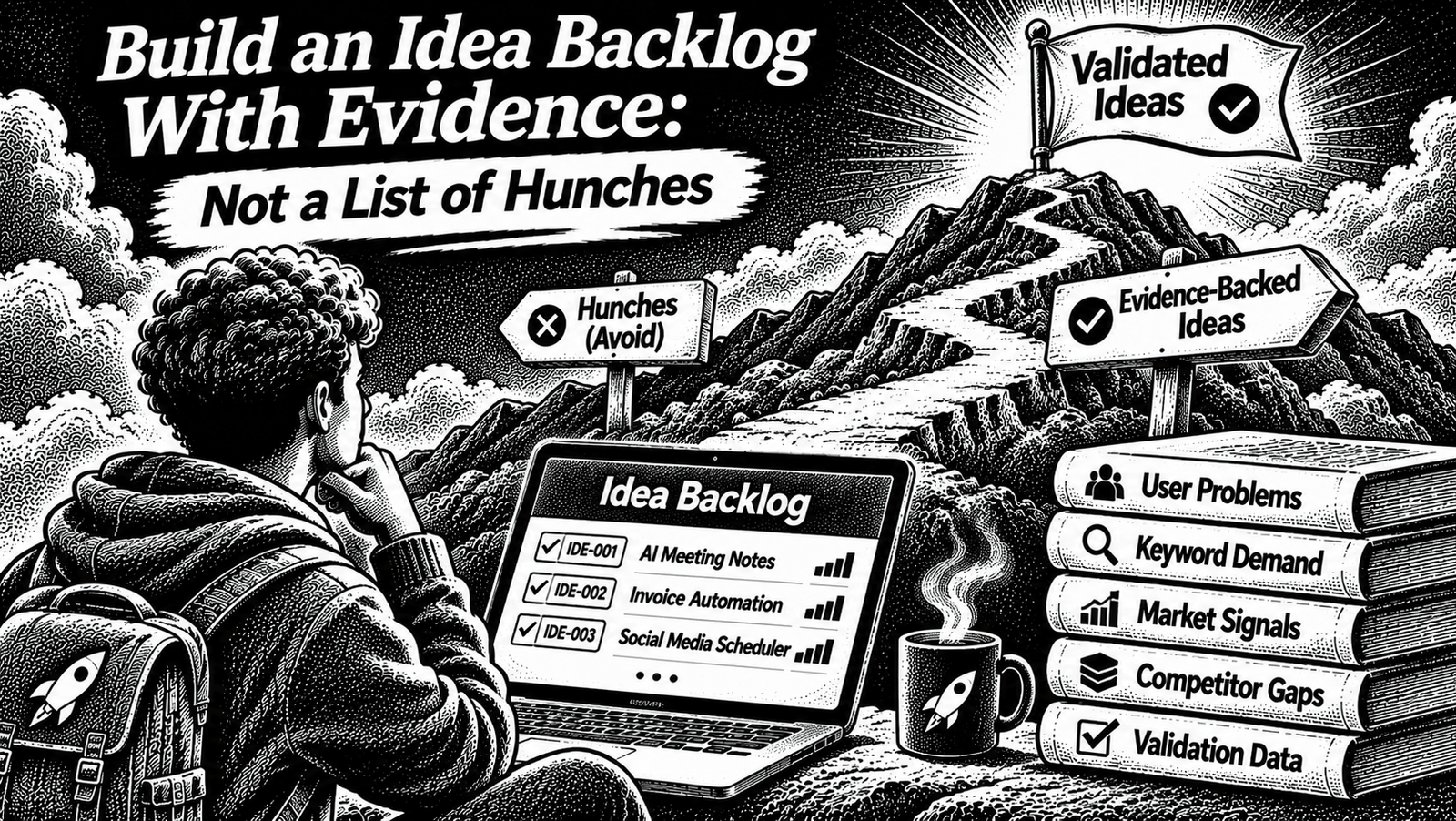
A useful idea backlog is a system that connects each opportunity to the evidence behind it. It helps you remember why an idea exists, compare it with other opportunities, identify assumptions, and decide what to investigate next.
You do not need expensive product-management software to build one. A well-structured spreadsheet is enough for a solo founder or a small team.
This guide shows you how to build an idea backlog and evidence database using two connected tables, how to evaluate the quality of the evidence, and when to continue, park, or kill an idea.
What Is an Idea Backlog?
An idea backlog is an organized collection of potential product opportunities that you have not yet committed to building.
Each record should explain:
- What problem might exist.
- Who experiences it.
- When and how often it happens.
- What people currently do about it.
- What the problem costs them.
- What evidence supports the opportunity.
- What remains uncertain.
- What you should investigate next.
The important distinction is that an idea and its evidence are not the same thing.
An idea is a possible opportunity. Evidence is information that supports, challenges, or adds context to that opportunity.
For example:
Idea: A tool that helps small agencies track client approval requests.
Evidence: A public discussion describing repeated approval delays, a review mentioning the absence of a client approval workflow, and a conversation with an agency operator describing the current process.
The idea is the proposed opportunity. The evidence records are the reasons you are considering it.
Keep those two things connected instead of putting everything into one long description.
Why a List of Startup Ideas Is Not Enough
A simple list might look like this:
| Idea |
|---|
| AI email assistant |
| Appointment scheduling tool |
| Invoice generator |
| Project management app |
| Customer feedback dashboard |
This list tells you almost nothing about which opportunity deserves attention.
You cannot tell:
- Who has the problem.
- Whether it happens repeatedly.
- Whether people already pay to solve it.
- Whether existing products are inadequate.
- Whether the idea came from one person’s opinion or repeated observations.
- Which idea is easiest to investigate.
- What you should do next.
A list encourages you to compare ideas by how exciting they sound.
An evidence-backed backlog lets you compare them by what you actually know.
This is particularly useful when you are working alone. Your time is limited, so the system should help you avoid repeatedly researching the same idea or building something based only on enthusiasm.
The Simple System: Two Connected Tables
You can build the entire system in Google Sheets, Excel, Notion, or another tool that supports structured records.
For this guide, we will use a spreadsheet because it is easy to start, copy, filter, and maintain.
Create a new spreadsheet with two tabs:
- Idea Backlog
- Evidence Log
The Idea Backlog stores one record per opportunity. The Evidence Log stores individual observations and connects them to the relevant idea using an ID.
This separation matters. One idea may have several evidence records. You should be able to add another observation without rewriting the original idea description.
Step 1: Create the Idea Backlog
Create a tab named Idea Backlog.
Use these columns:
| Column | Field | What to record |
|---|---|---|
| A | Idea ID | A unique identifier such as IDE-001 |
| B | Problem statement | The problem, not the proposed feature |
| C | Target user | The specific person or business experiencing it |
| D | Trigger or context | When the problem occurs |
| E | Frequency | How often it appears, where known |
| F | Current workaround | What people do today |
| G | Cost or impact | Time, money, risk, effort, or lost opportunity |
| H | Likely buyer | Who can approve or pay for a solution |
| I | Evidence count | Number of linked evidence records |
| J | Strongest evidence | The most useful supporting or contradicting record |
| K | Biggest assumption | The belief that still needs testing |
| L | Next test | The smallest useful investigation |
| M | Status | Where the idea is in your workflow |
| N | Decision | Continue, validate, park, or kill |
| O | Review date | When the record should be reconsidered |
| P | Last updated | When the record was last changed |
Write problem statements, not product names
Avoid recording an idea as:
“AI project management tool.”
That describes a possible solution, not a customer problem.
Write:
“Small agencies lose track of client approvals because feedback arrives across email and messaging conversations.”
This gives you something to investigate.
A useful problem statement can follow this structure:
“For [specific user], [problem] happens when [situation], causing [consequence]. They currently [workaround].”
You do not need to fill every field immediately. Mark missing information as unknown rather than inventing an answer.
Give every idea a stable ID
Use identifiers such as:
- IDE-001
- IDE-002
- IDE-003
Do not use the row number as the idea’s identity. Rows can move when you sort or filter the sheet.
The ID should stay the same even when the idea description changes.
This makes it possible to connect evidence, notes, and future decisions without losing the relationship.
Step 2: Create the Evidence Log
Create another tab named Evidence Log.
Use these columns:
| Column | Field | What to record |
|---|---|---|
| A | Evidence ID | A unique identifier such as EVD-001 |
| B | Idea ID | The related backlog record |
| C | Date collected | When you found or recorded the signal |
| D | Source type | Review, discussion, interview, observation, search, or other |
| E | Source or link | Original URL, document, or reference |
| F | User segment | Who the evidence relates to |
| G | Observation | What the source actually says or shows |
| H | Signal type | Problem, workaround, cost, willingness, behavior, or contradiction |
| I | What it supports or challenges | The specific claim this evidence relates to |
| J | Confidence and limitation | What can and cannot be concluded |
| K | Quote permission | Whether the source may be quoted publicly, where relevant |
Every evidence record should answer one question:
What did I observe, where did it come from, and what does it tell me about this opportunity?
For example, do not write:
“Customers hate existing software.”
Write:
“One reviewer described having to export records into a spreadsheet because the product did not support the required bulk-edit workflow.”
The second record is specific. It also tells you what to investigate next.
Keep the original source accessible. If the source disappears, retain an appropriate private reference or a dated note of what you observed, subject to the source’s terms and privacy expectations.
Do not copy private customer information into a public backlog. Use anonymized identifiers and obtain permission before publishing quotations or identifying details.
Step 3: Connect Evidence to Ideas
The relationship between the two tabs is what makes the system useful.
Suppose your Idea Backlog contains:
| Idea ID | Problem | Target user |
|---|---|---|
| IDE-001 | Client approvals are scattered across messages | Small agencies |
Your Evidence Log might contain:
| Evidence ID | Idea ID | Source type | Observation |
|---|---|---|---|
| EVD-001 | IDE-001 | Public discussion | A participant describes chasing approvals through messages. |
| EVD-002 | IDE-001 | Customer conversation | An agency operator explains how approvals are currently tracked. |
| EVD-003 | IDE-001 | Product review | A reviewer mentions missing client approval functionality. |
These are illustrative records, not real customer research or verified market findings.
Notice that the idea is stored once, while each evidence record remains separate.
This allows you to:
- See how much information supports an idea.
- Find the original source later.
- Identify repeated problems.
- Separate one person’s opinion from a recurring pattern.
- Preserve evidence that challenges the opportunity.
- Update the idea without losing its research history.
Add a simple evidence-count formula
With the column structure above, put this formula in cell I2 of the Idea Backlog tab:
=COUNTIF(Evidence!$B:$B,A2)
Copy it down the column.
This counts the evidence records that reference each idea ID, assuming the second tab is named Evidence.
The count measures how many records you have collected. It does not measure how strong the idea is.
Ten weak observations are not automatically more valuable than one strong piece of behavioral evidence.
Step 4: Capture Ideas From Different Sources
Your backlog becomes useful only when you have a consistent method for collecting opportunities.
You do not need to search every platform every day. Start with sources that contain real descriptions of problems and existing workarounds.
Customer complaints and reviews
Look for repeated complaints about:
- Missing capabilities.
- Manual work.
- Poor integrations.
- Confusing workflows.
- Expensive workarounds.
- Reliability problems.
- Repetitive tasks.
Our guide on finding SaaS ideas from customer complaints covers how to collect and group these signals.
Search behavior
Searches can help you understand the language people use when looking for solutions.
Record the query, the date, the location or market, the tool used, and what the result actually tells you.
Do not treat a keyword as proof that people will pay for a product. Search demand can indicate interest, but it does not establish willingness to purchase.
For the research process, see keyword research for product ideas.
Communities and discussions
Community discussions can reveal:
- Questions people repeatedly ask.
- Tools they recommend to each other.
- Problems they cannot solve.
- Workarounds they have created.
- Complaints about existing products.
Record the original discussion and its context. One highly visible post does not automatically represent a whole market.
Follow community rules. Do not spam discussions, scrape information in ways that violate platform rules, or treat private conversations as public research.
Direct conversations
Talking to people who experience the problem can help you understand context that public posts leave out.
Ask about what they did the last time the problem happened, what they tried, and what the consequences were.
Avoid leading questions such as:
“Would you use an AI tool that solves this?”
That invites a hypothetical opinion.
Instead ask:
- “Can you walk me through the last time this happened?”
- “What did you do to handle it?”
- “How often does this happen?”
- “What happens when you do not solve it?”
- “Have you paid for anything to make this easier?”
Record what they actually say and what remains uncertain.
Step 5: Classify the Quality of Evidence
Not all evidence deserves the same weight.
A casual suggestion, a repeated complaint, and an actual purchase are different types of signals.
Use three simple evidence categories.
Weak evidence
Examples:
- Your own idea or assumption.
- A single vague comment.
- A feature suggestion without context.
- A broad market trend that does not identify a specific problem.
- A social media post with no clear indication of actual behavior.
Weak evidence can be useful as a starting point. It should not be presented as proof of demand.
Moderate evidence
Examples:
- Several independent people describe a similar problem.
- Repeated complaints appear in different discussions.
- Users describe a manual workaround.
- Interviews reveal a recurring situation.
- Existing products receive consistent criticism about the same workflow.
Moderate evidence justifies deeper investigation, provided the sources relate to the same audience and problem.
Stronger evidence
Examples:
- A relevant buyer demonstrates the current workflow.
- A user already spends money on an alternative.
- A customer provides access to a real workflow for testing.
- Someone agrees to a defined pilot or paid test.
- Actual behavior supports the problem statement.
Even stronger evidence does not guarantee that a new product will succeed. It simply gives you a better basis for the next decision.
Record contradictory evidence too
Suppose several people complain about a workflow, but others explain that an existing product already solves it adequately.
Do not hide those observations.
The backlog should record both supporting and challenging evidence. If you only collect information that confirms your favorite idea, you are building a justification document rather than a research system.
Step 6: Add a Simple Decision System
A backlog should help you make decisions, not just store information.
Use these statuses:
| Status | Meaning |
|---|---|
| Inbox | Newly captured, not yet reviewed |
| Researching | Collecting and organizing evidence |
| Ready to validate | Enough signal exists to justify a focused validation test |
| Validating | Running interviews, landing-page tests, pilots, or other experiments |
| Build candidate | Evidence and feasibility justify considering a build |
| Parked | Potentially interesting, but not the current priority |
| Killed | Evidence or constraints make the opportunity unsuitable |
Keep status separate from the decision.
For example, an idea can be in Researching while its current decision is Continue research.
When should you continue?
Continue researching when:
- The problem is specific enough to investigate.
- There is at least one credible signal.
- The target user can be identified.
- A source or person can be followed up.
- You have a clear next question.
When should an idea move to validation?
Use the following as a practical IndieOS-style operating rule, not a scientifically established market benchmark:
Move an idea to Ready to validate when you can identify:
- At least three independent signals pointing to the same underlying problem.
- Evidence from at least two different source types.
- At least one first-hand conversation or observed behavior from someone in the intended audience.
- A specific current workaround or consequence.
- A reachable group of people with whom you can run the next test.
This is a conservative filter for deciding what deserves focused validation. It does not mean the idea is validated or ready to build.
The next stage is to test the assumptions using a structured process. Our guide to validating a Micro-SaaS idea without building it explains that stage.
When should you park an idea?
Park it when:
- The problem might be real, but evidence is too thin.
- You cannot reach the intended users right now.
- The opportunity does not fit your current resources.
- Another idea deserves attention first.
- You need a future event or condition before investigating it further.
Give parked ideas a review date. Otherwise, they become forgotten records.
When should you kill an idea?
Kill it when meaningful evidence contradicts the opportunity or when the constraints make it unsuitable.
Examples:
- Relevant users consistently say the problem is not important.
- Existing workarounds solve the problem adequately.
- The people experiencing the pain cannot be reached through a realistic route.
- The buyer and user are unclear and you cannot establish who would pay.
- The problem is too infrequent or low-impact to justify a separate product.
- The opportunity depends on an assumption that you have tested and found unsupported.
Do not kill an idea merely because one person rejected it. Record the reason, the evidence, and the date so you do not repeat the same research later.
Step 7: Add Dropdowns and Filters
A spreadsheet becomes easier to maintain when common fields use consistent values.
In Google Sheets, useful dropdown fields include:
Status
- Inbox
- Researching
- Ready to validate
- Validating
- Build candidate
- Parked
- Killed
Evidence type
- Public discussion
- Product review
- Search
- Interview
- Observation
- Customer request
- Purchase or commitment
- Other
Evidence quality
- Weak
- Moderate
- Stronger
Decision
- Continue research
- Validate
- Park
- Kill
Google Sheets supports dropdowns through data validation. You can create a dropdown directly or use a range of cells as its source. See Google’s instructions for creating dropdown lists.
Next, add filters to the header row.
Useful views include:
- All active ideas.
- Ready to validate.
- Ideas with weak evidence.
- Parked ideas due for review.
- Ideas with no linked evidence.
- Recently updated records.
Google Sheets also supports saved filter views, allowing you to organize different views without repeatedly changing the shared sheet’s main filter. See Google’s guide to sorting and filtering data.
Keep the setup simple. You do not need dashboards, automation, or complex scoring formulas on the first day.
Step 8: Prioritize Without Pretending the Score Is Scientific
Once you have several ideas, you need a way to decide which one deserves more research.
A simple comparison can use these dimensions:
| Dimension | Question |
|---|---|
| Problem severity | Does the problem create meaningful cost, risk, or frustration? |
| Frequency | How often does it happen? |
| Workaround | Are people already spending effort or money to deal with it? |
| Buyer clarity | Can you identify who would pay? |
| Reachability | Can you realistically contact or observe these people? |
| Evidence quality | How much of the opportunity is supported by direct or repeated evidence? |
| Build scope | Can you test or build a narrow first version with available resources? |
You can score each dimension from 0 to 2:
- 0: Unknown or unsupported.
- 1: Some evidence, but important uncertainty remains.
- 2: Supported by relevant evidence.
This creates a comparison aid, not a probability of success.
A total score should never override a serious weakness. For example, an idea with a clear problem but no reachable users may deserve to be parked until access improves.
Write a short reason beside each score. A number without an explanation is hard to audit later.
Do not rank ideas solely by the total. Use the score to decide what to investigate, then follow the evidence.
Step 9: Review the Backlog Regularly
A backlog can become another pile of forgotten notes unless you maintain it.
A simple weekly review is enough for many solo founders.
During the review:
- Read newly captured ideas.
- Merge duplicates while keeping their source records.
- Check whether evidence still supports the problem statement.
- Identify missing information.
- Update the next test.
- Move ideas between statuses.
- Review parked ideas whose dates have arrived.
- Record why an idea was advanced, parked, or killed.
Do not measure the health of your system by the number of ideas stored.
A smaller backlog with clear evidence and current decisions is more useful than a large collection of unreviewed suggestions.
As your research volume grows, you can add a weekly process for collecting and reviewing ideas. That is a separate workflow from the database itself and will be covered in a dedicated guide.
Worked Example: From a Complaint to an Evidence-Backed Idea
The following example is fictional and is included only to demonstrate how the system works. It is not a real customer interview, an IndieOS experiment, or a reported market result.
Imagine you notice discussions about small agencies struggling to collect client approvals.
You create a record:
Idea ID: IDE-001
Problem statement: Small agencies lose track of client approvals because feedback arrives through different communication channels.
Target user: Small agencies handling several active client projects.
Trigger: A client needs to approve a design, document, or project milestone.
Current workaround: Email threads, spreadsheets, and manual follow-ups.
Biggest assumption: Agencies consider approval tracking important enough to use or pay for a dedicated workflow.
You then create separate evidence records.
| Evidence ID | Source | Observation | Limitation |
|---|---|---|---|
| EVD-001 | Public discussion | A participant describes chasing client approvals across messages. | One public discussion does not establish how common the issue is. |
| EVD-002 | Product review | A reviewer complains about the absence of a client approval workflow. | The review may concern a different type of agency. |
| EVD-003 | Direct conversation | An agency operator describes manually tracking approvals. | One conversation cannot represent every agency. |
The three records are independent in this fictional example, but the idea still needs more work.
The founder’s next step is to investigate:
- How often the problem occurs.
- Which agency types experience it most.
- Whether approval delays create meaningful costs.
- What tools are already used.
- Whether the person experiencing the problem can approve a purchase.
- Whether a narrow workflow can be tested without building a full product.
The record might now look like this:
| Field | Example entry |
|---|---|
| Idea ID | IDE-001 |
| Evidence count | 3 |
| Evidence quality | Moderate, pending verification |
| Biggest assumption | Agencies will adopt a dedicated approval workflow |
| Next test | Interview more relevant agency operators |
| Status | Ready to validate, after the stated gate is met |
| Decision | Run a focused validation test |
The example demonstrates the connection between the idea, its evidence, the remaining assumption, and the next action. It does not establish that the proposed product is commercially viable.
Common Mistakes When Building an Idea Backlog
1. Recording solutions instead of problems
“Build an AI chatbot” does not explain who needs it or why.
Record the underlying problem first. You can decide whether AI is relevant later.
2. Saving links without recording what they prove
A bookmark is not an evidence record.
Write a short observation, identify the source, and explain which part of the idea it supports or challenges.
3. Treating repeated reposts as independent evidence
The same complaint copied across several websites may originate from one person.
Trace sources where possible. Count independent observations, not the number of places a sentence appears.
4. Collecting only supporting evidence
Research becomes unreliable when you ignore contradictions.
Record objections, existing solutions, and cases where the problem does not occur.
5. Confusing interest with buying intent
A person saying an idea sounds interesting is not the same as a buyer committing time, money, or access.
Record what someone actually did, not just what they said they might do.
6. Building an unnecessarily complicated database
Too many columns and scores make data entry feel like administrative work.
Start with the two tables and add fields only when they help you make a decision.
7. Keeping old ideas active forever
Every record should have a current status, a reason, and a review date where necessary.
Park or kill ideas instead of allowing the backlog to become an archive of unfinished thoughts.
8. Treating a score as a decision
A high score does not prove demand. A low score does not always mean an idea is worthless.
Use scores to organize attention, then verify the underlying evidence.
Frequently Asked Questions
What should an idea backlog contain?
At minimum, record the problem, target user, context, current workaround, evidence sources, biggest assumption, next test, and status. Keep individual evidence records separate and link them to the idea with a stable ID.
What is the difference between an idea backlog and an evidence database?
The idea backlog stores potential opportunities and their current status. The evidence database stores the individual sources and observations that support or challenge those opportunities. Connecting them gives you traceability.
Can I build an idea backlog in Google Sheets?
Yes. A spreadsheet with an Idea Backlog tab and an Evidence Log tab is enough for a simple solo-founder workflow. Add stable IDs, dropdowns, filters, and source links as the collection grows.
How many sources do I need before validating an idea?
There is no universal number that guarantees an idea is worth validating. This guide proposes a practical working gate of three independent signals from at least two source types, including one first-hand conversation or observed behavior. Treat it as a research rule, not a proven market benchmark.
Should I delete ideas that I reject?
Usually, keep a record of rejected ideas and why they were rejected. It helps you avoid repeating research and makes it possible to reconsider an opportunity if new evidence appears. Keep personal or confidential information out of the record unless you have a legitimate reason and appropriate permission to retain it.
How often should I review an idea backlog?
A weekly review is a useful starting point for a solo founder who is actively collecting ideas. The right frequency depends on how much new evidence you collect and how quickly your priorities change.
When should an idea move from the backlog to validation?
Move it when you understand the problem, can identify the people experiencing it, have credible evidence, and know what assumption to test next. A backlog decision is not a decision to build.
Final Idea Backlog Checklist
Before treating your system as ready, confirm that:
- Every idea has a unique ID.
- Problem statements describe a user problem, not just a proposed solution.
- Every evidence record links to an idea.
- Original sources and dates are recorded.
- Supporting and contradictory evidence are both retained.
- Evidence quality is clearly described.
- Each active idea has a biggest assumption.
- Each active idea has a next test.
- Status and decision fields use consistent values.
- Parked ideas have review dates.
- Killed ideas have documented reasons.
- Private customer information is handled appropriately.
- The backlog is reviewed regularly.
Final Thoughts
A useful idea backlog is not a collection of things you might build someday.
It is a record of problems you have noticed, people who experience them, evidence you have collected, and decisions you have made.
Start with two connected tables. Give every idea a stable ID. Preserve the original sources. Write down what you still do not know. Then use the backlog to decide what deserves further investigation.
The objective is not to collect more ideas. It is to make better decisions about which problems are worth your time.
Sources and Further Reading
- Google Sheets Help: Create an in-cell dropdown list — official instructions for creating consistent status and evidence-type fields.
- Google Sheets Help: Sort and filter your data — official instructions for filtering and saving reusable views.
- How to Find SaaS Ideas From Customer Complaints — the problem-discovery workflow that can feed your backlog.
- Keyword Research for Product Ideas — research search demand without treating it as proof of purchase intent.
- How to Validate a Micro-SaaS Idea Without Building It — the next stage after an opportunity is ready for validation.




[…] If you want a repeatable way to organize these observations, use the evidence-backed idea backlog. […]