


Table of Contents
A product idea can sound useful and still have no clear market. Before writing code, you need to know whether people are already searching for help with the problem, what words they use to describe it, and whether existing products are solving it well.
That is where keyword research for product ideas helps.
The goal is not to find a popular keyword and build a product around it. The goal is to discover the searches behind a problem, understand what the searcher is trying to accomplish, and collect enough evidence to decide whether the opportunity deserves further validation.
This guide walks through a practical process using Google Search, Google Keyword Planner, Google Trends and other research sources. It focuses on finding product opportunities before a product exists, not choosing SEO keywords for an existing SaaS website.
What keyword research can tell you about a product idea
Keyword research can help answer four questions:
- Does the problem appear in people’s searches? Look for queries describing the task, frustration or outcome.
- How do people describe the problem? Search language can reveal the words buyers actually use instead of the terminology a founder invents.
- Are people looking for solutions? Queries about software, alternatives, automation, pricing and comparisons can reveal solution awareness.
- What is the existing market offering? Search results show the products, content and workarounds already competing for attention.
But search data has limits. A person searching for a free template may not want software. Someone searching for a problem may be researching it for school rather than trying to solve it at work. And a high-volume keyword does not automatically indicate willingness to pay.
Treat keyword research as one source of demand evidence, not proof that a business will work.
Step 1: Describe the product idea as a problem, not a feature
Do not begin by entering your proposed product name into a keyword tool. A product that does not exist cannot have an established category name that people already search for.
Start with the problem.
Write down:
- Target user: Who experiences this problem?
- Task: What are they trying to accomplish?
- Pain: What makes the task difficult, slow or expensive?
- Current workaround: How do they handle it today?
- Desired outcome: What would a better solution help them achieve?
For example, consider this illustrative idea:
An automated client-reporting tool for small marketing agencies.
The product description is not a useful starting keyword by itself. Break the idea into the user’s actual work:
| Research angle | Illustrative starting phrase |
|---|---|
| Target user | Marketing agency owner |
| Task | Prepare client performance reports |
| Problem | Reporting takes too much manual work |
| Current workaround | Spreadsheets and copied analytics data |
| Desired outcome | Prepare client reports automatically |
Now you have several directions to investigate:
- How do agencies prepare client reports?
- How to automate client reporting
- Marketing agency reporting template
- Client reporting software
- Automated marketing reports
- Agency reporting dashboard
These are seed keywords. They are starting points for research, not proof of demand.
The important change is that you are researching a real job and its alternatives rather than trying to confirm a product idea you already like.
Step 2: Collect keywords from several sources
A keyword tool can expand your list, but it should not be the only place you look. Different sources reveal different parts of the problem.
1. Google Search and Autocomplete
Start typing a seed phrase into Google and note the predictions that appear.
Try different beginnings:
how to [task][task] software[problem] solution[task] automation[competitor] alternative[task] template
Autocomplete predictions reflect real searches, but they are influenced by factors such as location, language, trends and search history. They are not a complete list of popular searches or a source of search-volume figures. See Google’s explanation of Autocomplete.
Next, inspect the actual search results. Look at the wording in page titles, product descriptions, comparison pages and discussion results. Record the phrases that repeatedly describe the same underlying task.
Do not assume every suggested phrase deserves its own product or page. Several phrases may describe the same need.
2. Customer complaints and community discussions
Look for how people describe the problem when they are not using your terminology.
Useful places to investigate include:
- Relevant subreddits and specialist forums
- Product reviews and comparison discussions
- Public support forums
- Competitor review pages
- Questions under tutorials and product demonstrations
Search for phrases such as:
How do you handle [task]?Is there a tool for [problem]?[competitor] alternativeI hate doing [task] manuallyHow to automate [workflow]
Record the exact wording and the context of each complaint. A phrase appearing in a discussion is not automatically a Google search keyword, but it can give you a better seed phrase to investigate.
For a more detailed method of discovering opportunities through complaints, see How to Find SaaS Ideas From Customer Complaints.
3. Competitor websites
Find products that solve the same or a related problem.
Look at their:
- Product and feature pages
- Pricing pages
- Integrations
- Comparison and alternatives pages
- Documentation and FAQs
Use their terminology to expand your own research. A product might call a feature something different from the phrase its customers use.
Do not copy a competitor’s keyword list without checking it. A competitor may attract traffic from a broad audience that does not match your intended buyer.
4. Existing customer or business evidence
When available, use first-party evidence before relying on keyword suggestions.
Examples include:
- Customer interviews
- Support tickets
- Sales conversations
- Search terms entered into an existing product
- Lost-deal notes
- Repeated manual work reported by users
These sources are especially useful because they can connect a search phrase to a real person, role or workflow.
When you do not have customers yet, use public discussions and reviews as research leads. Keep those observations separate from verified customer evidence.
Step 3: Expand your seed list with keyword tools
Once you have a list of problem-focused phrases, use keyword tools to find related queries and estimate search demand.
Google Keyword Planner
Google Keyword Planner is useful for discovering related keyword ideas and viewing estimated monthly searches.
To use it:
- Open Google Ads and go to Keyword Planner.
- Choose Discover new keywords.
- Enter your seed phrases, such as
client reporting,agency reportingandautomated reports. - Select the relevant target location and language.
- Review the keyword ideas.
- Export or record the relevant phrases for further analysis.
Google currently requires account setup, including billing information, to access basic Keyword Planner features such as discovering new keywords. You do not have to start an advertising campaign just to plan your research, but check the account requirements before relying on it.
A few things to understand about its data:
- Average monthly searches are estimates for the selected location, Search Network and date range.
- The metric includes close variants.
- Its default monthly average uses a 12-month period.
- Its competition metric measures advertiser competition, not organic SEO ranking difficulty.
Read Google’s documentation on Keyword Planner and historical keyword metrics.
Important: Do not interpret a high advertiser-competition value as proof that organic search is difficult. They measure different things.
Google Trends
Google Trends helps you compare search-interest patterns over time and across locations.
Use it to investigate questions such as:
- Is interest growing, declining or staying relatively steady?
- Does interest appear seasonal?
- Are people searching for one phrase more often relative to another?
- Does the topic show a short-lived spike or a longer pattern?
Google Trends does not provide absolute monthly search counts. It normalizes sampled search data to a scale from 0 to 100 for the selected location and time range. A value of 100 represents the highest relative interest in that comparison, not 100 searches. Very low-volume terms may appear as zero.
Google also notes that small fluctuations can be statistical noise, particularly for terms with little search activity. Avoid treating one isolated spike as proof of a growing market. See Google’s FAQ about Trends data.
Third-party keyword tools
Tools such as Ahrefs Keywords Explorer can help expand a seed list, examine related searches, group keywords and inspect ranking pages.
Their metrics are useful for comparison, but each provider has its own database and calculation methods. A keyword difficulty score from one provider is not a universal measurement.
Use third-party estimates as supporting evidence. Check important keywords manually in Google and keep the source and date of each estimate in your research record.
Step 4: Group keywords by the problem and intent behind them
A large keyword export is not a product opportunity list. Before interpreting the numbers, group related searches by what the searcher wants to do.
For product research, these groups are a useful starting point:
| Search type | Illustrative query | What it may reveal |
|---|---|---|
| Problem-aware | How to reduce manual client reporting | A task or frustration |
| Workflow-aware | How to prepare monthly agency reports | How people currently work |
| Solution-aware | Automated client reporting software | Awareness of a software category |
| Comparison | Best client reporting tools for agencies | Active solution evaluation |
| Alternatives | Alternatives to a reporting tool | Interest in replacing an existing solution |
| Cost-aware | Client reporting software pricing | Interest in the cost of a solution |
| Workaround-aware | Client reporting spreadsheet template | A manual method people may be using |
These labels are a research framework, not a rigid buying funnel. A person may move between them or use several types of searches at once.
Look for groups of related queries that point to the same problem. For example, searches for reporting templates, reporting automation and reporting software may all relate to the same workflow, but they do not necessarily express the same intent.
Do not add the monthly search estimates for every variation and call the result total market demand. Related phrases and close variants can overlap. Adding them without checking can double-count demand.
Step 5: Inspect the search results manually
Search volume tells you that a phrase has estimated search activity. The results page helps you understand what people expect to find.
Search your most promising phrases one at a time. Review the results for:
- Result type: Are the top results software products, tutorials, templates, discussions or comparison pages?
- Audience: Do the pages target the same type of user you want to serve?
- Problem match: Do the results address the problem your product would solve?
- Existing solutions: Are there established products already serving this need?
- Gaps: Are users still looking for a particular workflow, integration or capability that existing solutions handle poorly?
For example, a search for a reporting template may return spreadsheets and downloadable documents. That shows interest in completing the task, but it does not establish that searchers want to buy reporting software.
A search for reporting software may reveal a more solution-aware audience. You still need to inspect the products, their positioning and the buyer they serve.
Do not confuse the number of results with competition. A search engine can return millions of pages without those pages being meaningful competitors for the exact intent.
Also separate two different decisions:
- Business opportunity: Does a valuable problem exist for a reachable buyer?
- Search acquisition opportunity: Could your product realistically attract that buyer through organic search?
A useful product can have weak SEO potential, and an easy keyword to rank for can attract the wrong audience.
Step 6: Evaluate the quality of the demand
Do not rank ideas by search volume alone. Consider the following evidence dimensions.
A. Audience relevance
Can you identify the person behind the search?
A phrase used by a business owner, operations manager or specialist buyer may be more useful than a broad phrase that attracts unrelated visitors.
B. Problem relevance
Does the query describe a problem your proposed product can genuinely solve?
A phrase can have plenty of searches while being only loosely connected to the actual product.
C. Search consistency
Does the phrase appear across more than one source or research session? Are related queries pointing to the same workflow?
A single autocomplete prediction or Trends spike is weak evidence on its own.
D. Solution awareness
Are people looking for a category of software, alternatives, comparisons or pricing? These phrases can indicate that people are already evaluating possible solutions.
E. Existing competition
Are current solutions serving the same buyer and workflow? Competition can indicate that a market exists, but you need to understand whether the available products leave a meaningful problem unresolved.
F. Acquisition fit
Could the intended buyer realistically discover and evaluate your product through search? Consider whether the relevant queries lead to product discovery, or mostly to unrelated educational content.
Use these dimensions to record evidence, not to manufacture certainty.
Step 7: Build a keyword evidence ledger
A useful research output is a small evidence ledger that lets you compare ideas without losing the reason behind each score.
Create a spreadsheet with these columns:
| Column | What to record |
|---|---|
| Product idea | The opportunity being investigated |
| Target user | The intended buyer or user |
| Problem | The task or pain being addressed |
| Seed keyword | The original research phrase |
| Related queries | Relevant variations and questions |
| Search location | Country or market selected in the tool |
| Search volume | Estimate, source and date, if available |
| Trends pattern | Stable, growing, declining or unclear |
| Search intent | Problem, workflow, solution, comparison or cost |
| Existing alternatives | Products, templates or manual workarounds |
| Evidence source | Link to the source or results page |
| Uncertainty | What you still do not know |
| Next action | Interview, competitor review, experiment or reject |
Keep the raw observations separate from your interpretation. For example, record that a keyword tool returned an estimate rather than writing that the market is proven.
A simple opportunity score
You can use a small scoring model to compare candidates after collecting evidence.
Score each dimension from 1 to 5:
| Dimension | Score 1 | Score 5 |
|---|---|---|
| Audience relevance | Unclear audience | Specific, relevant buyer |
| Problem fit | Weak connection | Directly describes the problem |
| Demand evidence | Little or conflicting evidence | Multiple consistent signals |
| Solution awareness | No clear solution interest | Clear searches for software or alternatives |
| Market gap | No meaningful gap identified | Specific unmet need worth investigating |
| Acquisition fit | Search unlikely to reach the buyer | Search appears to be a plausible discovery channel |
Add the six scores for a total out of 30.
This is an IndieOS-style prioritization aid, not a validated market-scoring formula. A high score does not prove willingness to pay, and a low score may simply mean that the problem is described using different language.
Do not fill an unknown field with a neutral score to make an idea look complete. Mark it Unknown and collect more evidence.
Step 8: Work through one example
The following is an illustrative example, not a real keyword export or a measured market result.
Suppose you are considering software that automates client reporting for small marketing agencies.
Start with the problem
Agency owners need to prepare reports for clients. The work may involve collecting data from different platforms, formatting it and explaining performance.
Create seed phrases
- Marketing agency client reporting
- Automated client reporting
- Monthly marketing reports
- Client reporting template
- Agency reporting software
- Marketing report dashboard
Expand the phrases
Use Autocomplete and Keyword Planner to discover variations. Record the location, search estimates and date rather than mixing figures from different markets.
Group the intent
| Query | Initial interpretation |
|---|---|
| Client reporting template | A possible spreadsheet or document workaround |
| Automated client reporting | Interest in reducing manual work |
| Agency reporting software | Interest in a software category |
| Client reporting tool alternatives | Possible replacement intent |
| Marketing report dashboard | Interest in viewing or presenting data |
Inspect the results
Check whether the pages serve small agencies, large agencies, freelancers or in-house marketing teams. Those audiences may have different requirements.
Look at the existing products. Do they already automate the task? Are there repeated complaints about integrations, branding, setup or report customization? Record specific evidence rather than assuming a missing feature is a market gap.
Make a decision
At this point, the correct conclusion is not that the product is validated. The research has produced a more precise hypothesis:
Small marketing agencies may want an easier way to create client reports from multiple marketing data sources.
The next step is to investigate whether agency owners experience this problem frequently, how they currently solve it, what existing products fail to provide and whether they would pay for a better solution.
That is the difference between collecting keywords and using them to research an actual product opportunity.
Common mistakes to avoid
1. Choosing an idea because one keyword has high volume.
High search volume can come from a broad or unrelated audience. Check the audience and intent.
2. Treating Google Trends as a monthly search-volume tool.
Its 0–100 scale is relative, not an absolute count.
3. Confusing advertiser competition with SEO difficulty.
Keyword Planner’s competition metric describes advertisers, not organic ranking difficulty.
4. Using the product name as the only seed keyword.
People cannot search for a category name they do not know. Start with their task, problem and existing workaround.
5. Treating every keyword variation as a separate opportunity.
Group searches by intent before counting or scoring them.
6. Ignoring existing competitors.
A competitor is evidence that someone is trying to solve the problem. It is not automatically evidence that your version has a market gap.
7. Treating search demand as willingness to pay.
Searches show interest in information or solutions. They do not prove purchasing intent.
8. Skipping direct validation.
Keyword research should help you decide what to investigate next. Speak to potential users and test the problem before committing to a build.
Frequently asked questions
How do you find keywords for a product idea?
Start with the target user’s problem, task and current workaround. Expand those phrases with Google Autocomplete, Keyword Planner, Trends, competitor websites and relevant community discussions. Then group the resulting keywords by search intent and inspect the search results.
Is Google Keyword Planner free?
Google provides Keyword Planner within Google Ads. However, Google currently requires account setup, including billing information, to access basic features such as keyword discovery. Check the account requirements before using it.
Is Google Trends enough to validate a SaaS idea?
No. Trends can help compare relative interest over time and across locations. It does not give absolute monthly search volume or prove that people will pay for a product. Combine it with other search evidence, existing solutions and direct conversations with potential buyers.
What is a good search volume for a SaaS product idea?
There is no universal minimum. A smaller number of highly relevant searches may be more useful than a large number of broad searches. The right interpretation depends on the buyer, the problem, the price of a possible solution and the acquisition channel.
Should you build a product around low-volume keywords?
Not automatically, and not automatically reject the idea either. Low volume can reflect a small market, but it can also mean that users describe the problem differently or do not search for it directly. Investigate alternative wording, communities, existing workarounds and direct user evidence.
What is the difference between keyword research for product ideas and SEO keyword research?
Keyword research for product ideas uses search behaviour to investigate a problem and choose what might be worth building. SEO keyword research for an existing product chooses topics and queries to attract relevant visitors to that product’s website.
Final checklist
Before treating keyword research as useful evidence for a product idea, confirm that you have:
- Defined a specific user and problem.
- Collected seed phrases from more than one source.
- Expanded the list with keyword tools.
- Recorded the target location and date for search estimates.
- Grouped queries by intent.
- Inspected the actual search results.
- Identified existing products and workarounds.
- Separated observed evidence from assumptions.
- Recorded unknowns and conflicting signals.
- Chosen the next validation step.
Keyword research is a way to make product discovery more evidence-led. It helps you understand what people search for, how they describe their problems and what solutions they already consider.
Use it to narrow your ideas, not to declare a product successful before it exists.
The next step is to validate the strongest opportunity with potential users. Start with How to Validate a Micro-SaaS Idea Without Building It.
Sources and further reading
- Google Keyword Planner: Use Keyword Planner
- Google Ads: About Keyword Planner forecasts and historical metrics
- Google Trends: FAQ about Trends data
- Google Search Help: How Autocomplete predictions work
- Ahrefs Help Center: Best practices for keyword research
- Ahrefs Help Center: Keyword ideas reports
- Google Search Console: Performance report overview


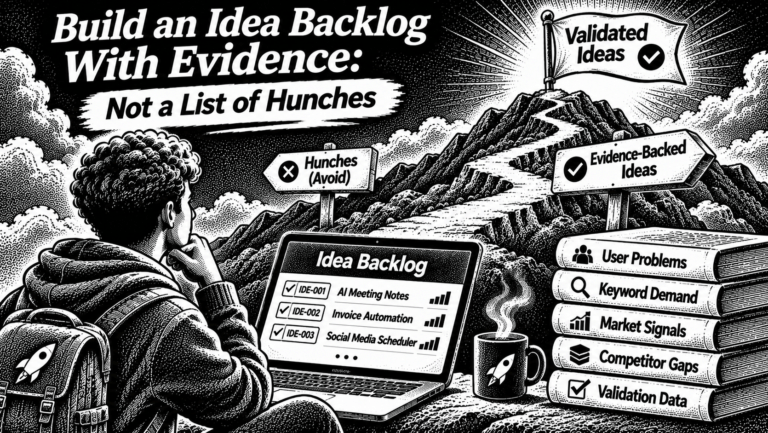

[…] For the research process, see keyword research for product ideas. […]