Table of Contents
Launching a product takes a lot of work. You prepare the landing page, write the announcement, contact potential users, publish across different channels, answer questions, fix problems, and watch the numbers.
Then launch week ends.
You move on to product development, customer conversations, or the next marketing activity. The launch results remain scattered across analytics dashboards, social posts, emails, support messages, and your memory.
That creates a problem: you may repeat the same mistakes during your next launch because you never took the time to understand what actually happened.
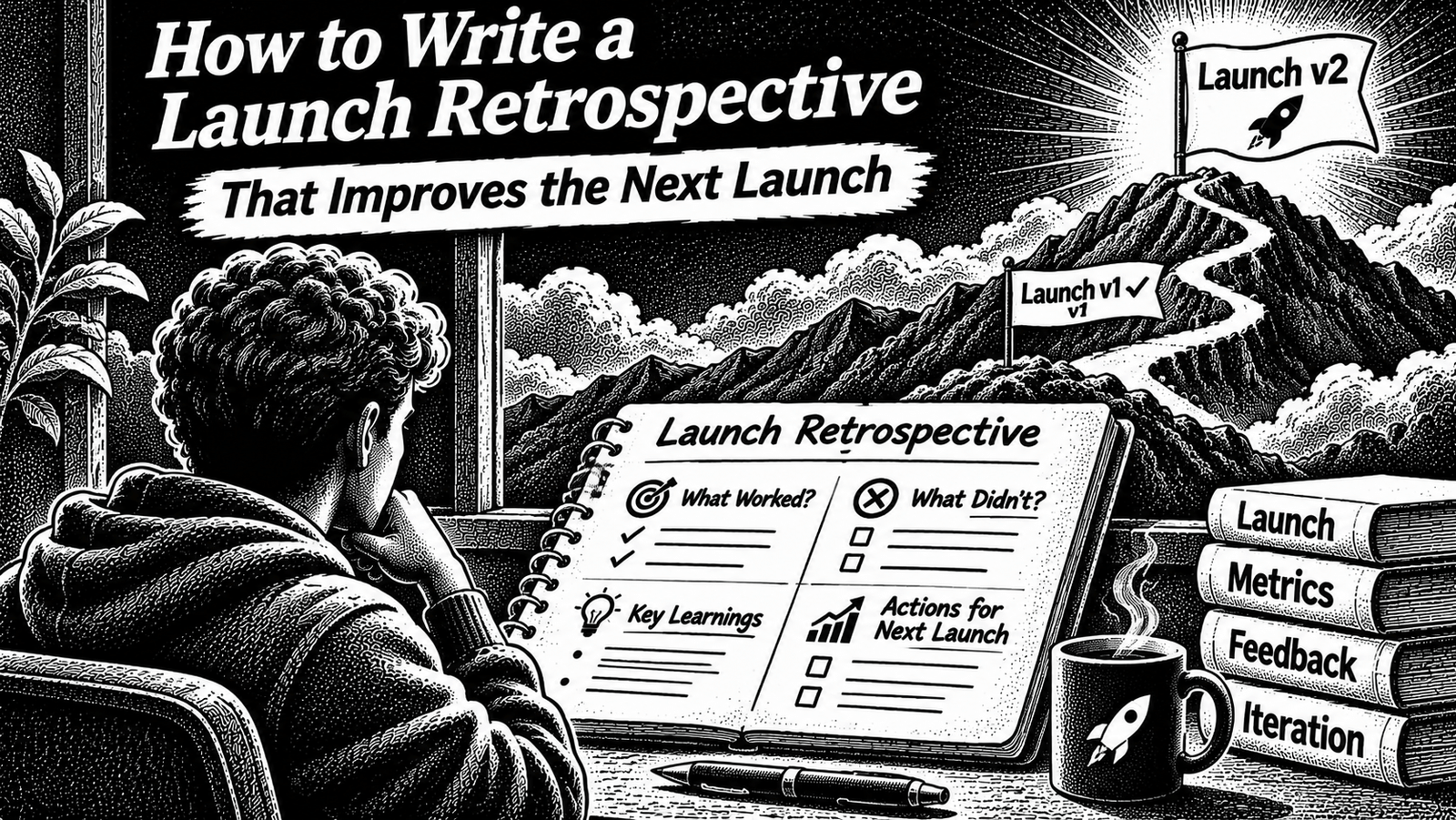
A product launch retrospective helps you turn a completed launch into decisions you can use. It gives you a structured way to review your original goals, traffic sources, messaging, customer reactions, product friction, and follow-up work.
The goal is not to prove that the launch was successful or unsuccessful. It is to understand what the evidence says and decide what should change.
This guide gives you a practical process and a reusable template. It also explains how to create two versions of the review: a private version with detailed information and a public version that shares useful lessons without exposing sensitive data.
What Is a Product Launch Retrospective?
A product launch retrospective is a structured review of a product launch after the main launch activity has finished.
It records:
- What you wanted to achieve.
- What actually happened.
- Which channels brought relevant visitors and customers.
- Which messages attracted attention or created confusion.
- Where potential customers experienced friction.
- What went well and should be repeated.
- What did not work and should be changed.
- What you will do differently next time.
A retrospective is more than a collection of launch statistics. It connects the numbers and feedback to decisions.
For example, knowing that a launch received visitors is useful. Understanding which visitors signed up, which ones tried the product, where they stopped, and what confused them is much more useful for planning the next launch.
A good retrospective separates evidence from interpretation. It does not turn one disappointing result into a confident explanation without checking the available information.
When Should You Write a Launch Retrospective?
Write the first version shortly after the main launch activity ends, while the sequence of events and conversations is still fresh.
You do not need to wait until every longer-term result is available. Record what you know, mark what is still uncertain, and add a later update when enough evidence has accumulated.
A practical schedule is:
| Stage | What to do |
|---|---|
| Immediately after the main launch | Save analytics exports, campaign links, important posts, feedback, and launch notes. |
| First review | Write the initial retrospective while the details are still fresh. |
| Later review | Add delayed information such as paid conversion, continued product use, cancellations, or customer feedback. |
| Before the next launch | Revisit the decisions and check which actions were completed. |
These are workflow recommendations, not universal deadlines. A simple launch with limited data may need only one review. A launch with multiple channels, campaigns, or product changes may need a follow-up.
Do not postpone the initial review until you have a perfect dataset. Record what is available and clearly mark the gaps.
The Launch Retrospective Framework
Use this sequence:
- Restate the original launch goal.
- Collect and organize the evidence.
- Review each acquisition channel.
- Examine the launch message and positioning.
- Identify product and customer friction.
- Separate findings from assumptions.
- Turn the findings into owned actions.
- Prepare a public version of the lessons, where appropriate.
The order matters. Start with the goal and evidence before deciding what worked. Otherwise, it is easy to select whichever numbers support the story you already believe.
Step 1: Restate What the Launch Was Supposed to Achieve
Start by writing down the original purpose of the launch.
Do not evaluate the result before you know what success was supposed to mean.
A launch might have been intended to:
- Find the first group of paying customers.
- Get qualified users to try a new product.
- Validate whether a particular audience has the problem you are solving.
- Generate feedback from early adopters.
- Announce a major product update.
- Build awareness among a specific community.
- Test whether a new acquisition channel is worth pursuing.
These goals are not interchangeable.
For example, a launch designed to collect product feedback should not be judged only by revenue. A launch designed to acquire paying customers should not be called successful simply because a social post received attention.
Record the original goal, target audience, intended offer, main launch channels, and the result you wanted to observe.
| Question | Your answer |
|---|---|
| What product or feature did we launch? | |
| Who was the intended audience? | |
| What problem or need were we addressing? | |
| What was the main launch goal? | |
| Which channels did we plan to use? | |
| What outcome would count as a useful result? | |
| What assumptions were we trying to test? |
Important: Use the goal that existed before the launch. Do not rewrite it afterwards to make the result look better.
If the original goal was vague, record that as a planning weakness. It is a useful lesson for the next launch.
Step 2: Collect the Evidence Before Drawing Conclusions
A retrospective is only as reliable as the information behind it.
Gather the evidence in one place before deciding why the launch performed the way it did.
Useful sources include:
- Website analytics and landing-page reports.
- Search and referral traffic reports.
- Campaign URLs and source information.
- Product signup and activation records.
- Payment or subscription records.
- Customer interviews and feedback messages.
- Support conversations and common questions.
- Launch announcements, emails, and social posts.
- Your own launch notes and timeline.
Keep the original source or a link to it wherever possible. A number copied into a document without its source is difficult to verify later.
For every important observation, record four things:
| Observation | Evidence | Interpretation | Confidence |
|---|---|---|---|
| What happened? | Where can you verify it? | What might explain it? | High, medium, or low |
This prevents an assumption from quietly becoming a fact.
For example:
- Observation: Visitors reached the pricing page but did not start checkout.
- Evidence: Analytics events and checkout records.
- Interpretation: The pricing page may not have answered important purchase questions.
- Confidence: Low until you examine user feedback or test the page.
That is a better conclusion than writing, “Our pricing was too expensive,” without evidence.
If you have already organized your launch numbers, use the launch metrics to track article when it is published. The metrics review and the retrospective serve different purposes: one organizes performance measurements; the other explains what you learned from them.
Step 3: Review Each Launch Channel Separately
Do not evaluate the entire launch as one traffic source.
A launch may involve several channels:
- Product directories and launch platforms.
- Communities and discussion forums.
- Email newsletters.
- Social media.
- Personal outreach.
- Existing customers or waitlist subscribers.
- Search and referral traffic.
Review each channel separately. A channel that creates attention may not attract the same audience as one that brings visitors who actually use the product.
Create a channel review table:
| Channel | What did we publish or do? | Audience response | Signups or meaningful actions | What did we learn? |
|---|---|---|---|---|
| Product directory | ||||
| Community | ||||
| Social media | ||||
| Direct outreach | ||||
| Other |
Use the same measurement definitions when comparing channels. For example, do not compare clicks from one platform with completed signups from another and call them equivalent results.
Ask these questions for every channel:
- Did the channel reach the intended audience?
- Did visitors understand what the product does?
- Did the channel produce meaningful actions?
- Did the effort required justify the result?
- Would we use the channel again?
- What would we change if we used it again?
Give each channel a practical verdict:
- Repeat: The channel reached relevant people and produced useful outcomes.
- Change: The channel showed potential, but the message, timing, audience, or destination needs improvement.
- Stop: The channel did not justify its cost or effort for this launch.
- Investigate: There is not enough reliable evidence to make a decision.
Do not treat a channel as a failure just because it produced fewer visitors. A smaller source may bring more relevant users. Evaluate it against the launch goal.
For preparation and audience-building, see how to launch a developer tool and how to build an audience for a SaaS product.
Step 4: Review the Launch Message and Positioning
A launch can reach the right people and still fail to communicate why they should care.
Review the actual messaging used during the launch. Do not rely on what you remember writing.
Collect the landing-page headline, product description, social announcements, emails, directory descriptions, calls to action, and major campaign variations.
Then ask:
- Did the message describe a real problem?
- Was the intended audience clear?
- Could a visitor understand the product without additional explanation?
- Did the message explain the outcome, not just list features?
- Did the announcement match the product experience?
- Which questions did people repeatedly ask?
- Did different channels communicate a consistent promise?
Record specific examples.
| Message or asset | What did we communicate? | What response did we observe? | What should change? |
|---|---|---|---|
| Landing-page headline | |||
| Product description | |||
| Launch announcement | |||
| Call to action |
Avoid conclusions such as “the copy was bad” unless you can explain what was unclear and what evidence supports that conclusion.
A useful finding might be:
“Visitors repeatedly asked whether the product supported team accounts. That information was missing from the main product description. Add account and pricing limitations to the launch page before the next campaign.”
That is a concrete improvement, not a vague opinion.
Step 5: Find Where the Product Experience Created Friction
The launch message is only one part of the experience. The product itself may prevent interested visitors from becoming active users.
Review the journey from the first visit to the first meaningful product outcome.
Look for:
- Confusing signup steps.
- Missing onboarding instructions.
- Unclear setup requirements.
- Broken links or incomplete documentation.
- Features that are difficult to discover.
- Errors during the first session.
- Missing integrations or expected capabilities.
- A gap between the launch promise and the actual product.
Use customer feedback alongside product data. A drop-off in a funnel tells you where to investigate; it does not automatically tell you why the drop-off happened.
If you recruited early users before launching, compare their feedback with the problems reported by new launch visitors. The guide to finding beta testers for your SaaS covers the earlier process of finding people who match your intended audience.
Record product friction in a table:
| Problem observed | Who experienced it? | Evidence | Likely impact | Follow-up |
|---|---|---|---|---|
Prioritize problems that block the user’s first meaningful outcome or contradict the promise made in the launch message.
Do not turn every suggestion into a product requirement. Separate repeated problems, one-off requests, and ideas that need more investigation.
Step 6: Separate Facts, Interpretations, and Unknowns
This is one of the most important parts of a useful retrospective.
A launch produces a mixture of hard measurements, individual opinions, incomplete information, and possible explanations.
Keep them separate.
| Type | Meaning | Example |
|---|---|---|
| Fact | Directly supported by a record or source | The campaign received visits from a tracked referral link. |
| Feedback | A statement from a user or prospect | A prospect said the setup process was confusing. |
| Interpretation | An explanation that may fit the evidence | The setup instructions may have caused some users to stop. |
| Unknown | Something the current evidence cannot answer | We do not know whether those visitors belonged to the intended audience. |
This distinction matters because a retrospective should improve future decisions, not create a convincing story around incomplete data.
Use blameless language
Review the process, message, product, and decisions rather than blaming an individual.
Google’s SRE postmortem guidance emphasizes factual, evidence-based writing, avoiding personal blame, and creating action items that improve the system. Although its examples concern engineering incidents rather than product launches, those writing principles are useful for a launch review too.
For example:
Instead of:
“The marketing person failed to explain the product.”
Write:
“The launch description did not explain the main use case clearly. We need to revise the message and verify it with someone from the target audience.”
The second version identifies something the team can improve.
Step 7: Decide What to Keep, Change, Stop, and Investigate
A retrospective should end with decisions.
Group the findings into four categories:
| Decision | Meaning | Example |
|---|---|---|
| Keep | Repeat an activity that produced useful results | Continue using a channel that brought relevant users. |
| Change | Improve something that showed potential | Rewrite the headline to explain the target user and outcome. |
| Stop | Remove an activity that did not justify its effort | Stop spending time on a channel that repeatedly reaches the wrong audience. |
| Investigate | Collect more evidence before deciding | Interview users who left during onboarding. |
Do not create a long wish list.
Choose the actions most likely to improve the next launch. For a small team or solo founder, a short list of specific improvements is easier to complete than a large list of vague recommendations.
Every action should have:
- A clear task.
- One owner.
- A priority.
- A due date or review point.
- A verifiable completion condition.
For example:
| Action | Owner | Priority | Completion condition |
|---|---|---|---|
| Rewrite the main landing-page message | Founder | High | The new version clearly states the audience, problem, and outcome. |
| Add missing setup instructions | Product owner | High | A new user can complete the documented setup process. |
| Interview users who stopped during onboarding | Founder | Medium | Findings and recurring issues are documented. |
Google’s postmortem guidance also recommends action items with ownership, prioritization, and a verifiable end state. See the Google SRE postmortem guidance.
An action item such as “Improve marketing” is not complete enough to assign. Rewrite it as a task that someone can actually finish and verify.
Step 8: Create a Private Retrospective and a Public Learning Note
Your internal review and public recap should not be identical.
They have different audiences and should contain different levels of detail.
The private version
Keep the detailed review for the people responsible for the product and launch.
It can include:
- Detailed traffic and conversion data.
- Campaign performance.
- Internal discussions.
- Customer feedback that was shared privately.
- Product defects and unresolved issues.
- Commercial information.
- Decisions and owners.
- Questions that still need investigation.
Restrict access to people who need the information. Remove personal customer information that is not necessary for the analysis.
The public version
A public recap should share useful lessons without exposing information that should remain private.
It can include:
- What you launched and who it was for.
- What you tried.
- What surprised you.
- What you would do differently.
- Lessons other builders can apply.
- Any figures you have permission to disclose, with their context.
Do not publish private customer messages, personal information, confidential business data, or unverified claims.
A public learning note is not a promotional rewrite of the launch announcement. It should explain what you learned, including limitations and mistakes where you can discuss them honestly.
Atlassian distinguishes a team retrospective from a learning that can be shared more widely. That distinction is useful here: the private document records the review; the public note extracts the insights that will help other builders. Read Atlassian’s guide to recording and sharing project learnings.
A Reusable Product Launch Retrospective Template
Copy this template into your project workspace, document, or notes tool. Complete the private version first. Then decide which findings are suitable for a public recap.
Part 1: Launch overview
| Field | Details |
|---|---|
| Product or feature | |
| Launch date | |
| Review date | |
| Intended audience | |
| Main launch goal | |
| Main launch channels | |
| Original success criteria | |
| People involved |
Part 2: Results and evidence
| Metric or observation | Expected result | Actual result | Source | Notes |
|---|---|---|---|---|
| Visitors | ||||
| Signups | ||||
| Activated users | ||||
| Paid customers | ||||
| Feedback received | ||||
| Other goal-specific outcome |
Leave fields blank or mark them as unavailable when you do not have reliable data. Do not estimate missing figures just to complete the table.
Part 3: Channel review
| Channel | Audience fit | Outcome | Effort required | Verdict |
|---|---|---|---|---|
Part 4: Messaging review
- Which message was clearest?
- Which message created confusion?
- What questions did visitors repeatedly ask?
- Which claims could we support with evidence?
- What should change on the landing page or announcement?
Part 5: Product and customer experience
- Where did users experience friction?
- What prevented users from reaching the intended outcome?
- Which feedback appeared repeatedly?
- Which issues are confirmed?
- Which issues still need investigation?
Part 6: Findings
| Finding | Evidence | Confidence | Implication |
|---|---|---|---|
Part 7: Decisions and action items
| Action | Keep, change, stop, or investigate | Owner | Priority | Due date | Completion check |
|---|---|---|---|---|---|
Part 8: Public learning note
- What did we launch?
- What did we hope to learn?
- What happened?
- What surprised us?
- What would we do differently?
- What can another founder learn from this?
- Which information must remain private?
Worked Example: Reviewing a Fictional SaaS Launch
The following example is entirely illustrative. It is not IndieOS data, a real company case study, or a reported launch result.
Imagine a small SaaS product launched to help independent consultants manage client requests.
The founder wanted to find early users and learn whether the product’s main workflow was understandable.
The launch used a product directory, a founder’s email list, and a community announcement.
Assume the review finds the following:
| Observation | Illustrative result |
|---|---|
| Landing-page visitors | 1,200 |
| Signups | 72 |
| Users who completed the first key action | 18 |
| Paid customers | 5 |
These are fictional inputs used to demonstrate the arithmetic.
The signup rate is 72 divided by 1,200, or 6%.
The activation rate among signups is 18 divided by 72, or 25%.
The paid customer count is 5. The founder should not assume that the low activation rate was caused by pricing, because the figures alone do not establish that.
The next step is to inspect the onboarding journey and speak to users who signed up but did not complete the key action.
The channel review might also find that the community announcement brought fewer visitors than the directory listing, but those visitors asked more detailed product questions.
That does not prove the community channel was better. It gives the founder a reason to examine audience fit, user activity, and the amount of effort required.
The retrospective could produce these decisions:
| Finding | Decision |
|---|---|
| Visitors did not always understand the main use case | Change the landing-page explanation. |
| Some users stopped before completing setup | Investigate the onboarding flow. |
| Community visitors asked detailed questions | Keep participating and measure meaningful outcomes. |
| The launch did not explain product limitations clearly | Add a clear limitations section to the next announcement. |
Notice what the founder does not conclude: that one channel caused the entire result, that the price was definitely wrong, or that the product has no demand.
Those claims would need more evidence.
The useful output is a short list of testable improvements for the next launch.
Common Launch Retrospective Mistakes
1. Writing the review from memory
Memory is incomplete, especially when a launch involves multiple channels and conversations.
Save source links, campaign examples, analytics exports, and important feedback before writing conclusions.
2. Only reporting positive results
A retrospective that celebrates the wins but avoids the problems is not useful.
Record what went well and what did not. The purpose is improvement, not promotion.
3. Treating every metric as equally important
A metric matters only in relation to the launch goal.
Traffic may be useful for an awareness campaign. Meaningful product usage may matter more for a product-validation launch.
4. Confusing correlation with cause
Two events happening together does not prove that one caused the other.
Treat explanations as hypotheses until the evidence supports them.
5. Turning feedback into an unfiltered feature list
Not every request represents a repeated problem or a priority.
Group similar feedback, identify who experienced the issue, and investigate whether it blocks the intended user outcome.
6. Creating actions without owners
“Fix onboarding” is not a complete action item.
Name the person responsible and describe what completion looks like.
7. Publishing private information
A public retrospective should not expose customer identities, private conversations, internal financial information, or confidential product details.
Review the public version separately before sharing it.
8. Never revisiting the document
A retrospective is useful only when its decisions influence later work.
Before the next launch, review the previous actions and record which ones were completed, which ones were dropped, and what was learned from the changes.
Frequently Asked Questions
What should a product launch retrospective include?
It should include the original goal, launch evidence, channel performance, messaging review, product friction, customer feedback, findings, decisions, and assigned follow-up actions. A public recap can be created from the private review after sensitive information is removed.
How soon should you write a launch retrospective?
Write the initial review soon after the main launch activity ends, while details are fresh. Add a later update when delayed results, customer feedback, or continued product usage become available.
What is the difference between a launch retrospective and a launch report?
A launch report mainly records what happened and presents the results. A retrospective goes further by interpreting the evidence, recording lessons, and deciding what should change next time.
What should you share publicly and what should stay private?
Share useful lessons, launch decisions, honest limitations, and figures you have permission to disclose. Keep private customer information, confidential conversations, sensitive financial details, and internal-only decisions in the restricted review.
Should a failed launch still have a retrospective?
Yes. A launch that misses its goal can still reveal useful information about audience fit, positioning, channels, product friction, and execution. Record what the evidence can support rather than assuming a single reason for the result.
Who should participate in a launch retrospective?
For a solo founder, it may be a personal review supported by analytics and customer feedback. For a team, involve the people who worked on launch planning, marketing, product, support, or customer conversations where their input helps explain the evidence.
Final Launch Retrospective Checklist
Before closing the review, confirm that:
- The original launch goal is recorded.
- The intended audience and success criteria are clear.
- Important results have traceable sources.
- Channels have been reviewed separately.
- Launch messaging has been examined.
- Product friction and customer feedback are documented.
- Facts are separated from interpretations and unknowns.
- Findings have led to specific decisions.
- Action items have owners and completion conditions.
- The public version has been checked for private information.
- The next launch plan will revisit the previous decisions.
A launch is not automatically useful because it attracts attention or produces signups. It becomes more valuable when you understand what happened, what the evidence supports, and what you will change.
Write the retrospective while the details are still available. Keep the evidence connected to every important conclusion. Turn the findings into a small set of actions, and revisit them before the next launch.
That is how each launch can make the next one more informed.
Sources and Further Reading
- Google SRE Workbook: Postmortem Culture — guidance on factual writing, blameless reviews, evidence, and actionable follow-up.
- Google SRE Book: Postmortem Culture — background on documenting incidents and learning from them.
- Atlassian: Record and Share Your Project Learnings — explains how project retrospectives and shareable learnings differ.
- Atlassian Retrospective Template — an example of a structured retrospective and action-item format.