

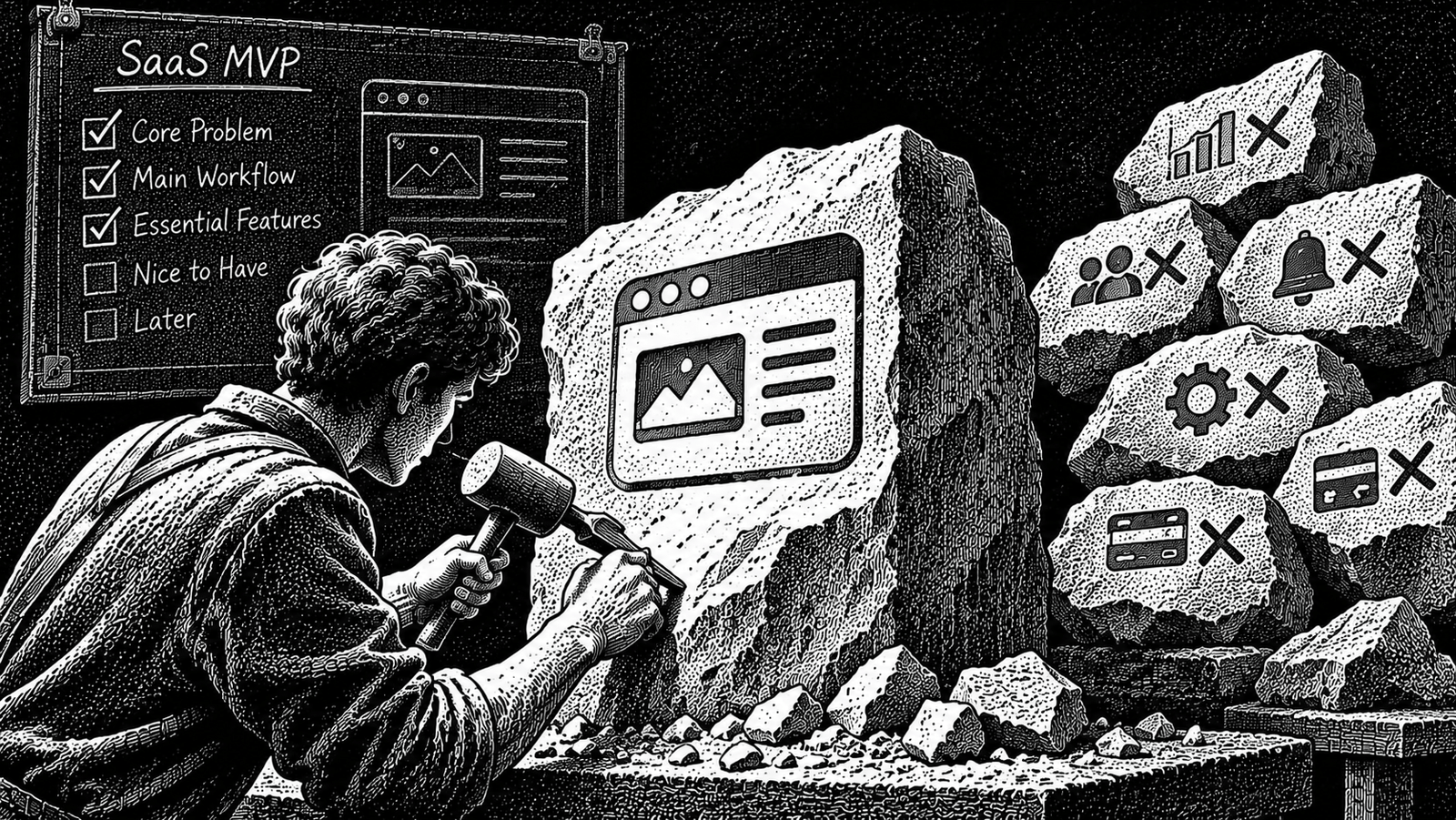
Table of Contents
You have validated a problem. You know who experiences it, what they are trying to accomplish and why existing alternatives may not be good enough.
Now comes another difficult decision: what should you actually build first?
Your feature list might already include user accounts, dashboards, notifications, integrations, billing, analytics, team management, mobile apps and an admin panel.
The problem is that every additional feature creates more work to design, build, test, maintain and support.
For a solo founder or a small team, an oversized first release can delay the most important moment: putting a useful product in front of real customers.
To scope a SaaS MVP, define one target user and one important outcome, map the shortest complete workflow that delivers it, classify every proposed feature by necessity, protect essential quality and operational requirements, and document what will deliberately wait.
The objective is not to build the fewest possible features. It is to build the smallest product that can deliver the intended customer outcome and help you learn from real usage.
This guide gives you a practical process for deciding what belongs in version one, what can be handled manually and what should be postponed.
What Does It Mean to Scope a SaaS MVP?
Scoping a SaaS MVP means deciding what the first usable version of your software needs to include, what it does not need yet and what conditions must be met before you release it.
An MVP, or minimum viable product, is not simply a smaller list of features.
It needs to deliver enough value for its intended users to complete a meaningful task.
Marty Cagan of Silicon Valley Product Group describes a minimum viable product using three characteristics: people choose to use or buy it, they can figure out how to use it, and the team can deliver it with the resources available. He describes these as valuable, usable and feasible.
His distinction is useful because a technically functional product is not automatically a viable customer experience.
Read Marty Cagan’s explanation of the Minimum Viable Product.
Y Combinator’s MVP guidance makes a similar practical point: start with a limited set of functions for a small group of initial users, get the product in front of them, collect feedback and iterate.
An MVP should therefore be:
- Focused: Designed around a specific customer and an important problem.
- Usable: Complete enough for the intended user to accomplish the core task.
- Feasible: Realistic for the available team, time and resources.
- Testable: Able to produce useful evidence about whether the solution works.
It should not be an unfinished collection of screens that cannot deliver the promised outcome.
Step 1: Define One User and One Core Outcome
Start with the person who will use your first release.
Avoid defining your audience too broadly.
For example:
Too broad:
“Small businesses need a better project management platform.”
More specific:
“Small design studios need a straightforward way to collect client feedback and record approval decisions for ongoing projects.”
The second statement gives you a clearer starting point.
You can identify the user, the task and the result they expect.
Write a one-sentence product outcome
Use this template:
[Specific user] can [complete a specific task] and achieve [clear result] using the first version of the product.
For example:
A design studio can send a client an approval request, receive a decision and see the result recorded against the project.
This is a hypothetical example, not a claim about an existing product or a researched customer segment.
Your sentence should describe an outcome, not a collection of technologies.
“An AI-powered dashboard with real-time collaboration” is not a customer outcome. It is a description of possible implementation and features.
Identify the first user, not every future user
Your complete product might eventually support:
- Individual users
- Teams
- Managers
- Administrators
- External clients
- Enterprise customers
But your first version may only need to support one clearly defined user type and one straightforward interaction with another person.
Write down:
| Question | Your answer |
|---|---|
| Who is the first user? | One specific customer type |
| What are they trying to accomplish? | One important task |
| What triggers the task? | A situation or event |
| What does success look like? | A clear completed outcome |
| Who else must participate? | Only essential additional users |
Do not include additional customer segments just because they might become useful later.
Step 2: Decide What the MVP Must Help You Learn
A first release should have a purpose beyond simply existing.
Ask yourself:
What important uncertainty will this version help me resolve?
For example:
- Can the target user complete the core workflow?
- Does the proposed solution fit into their existing process?
- Will customers use it without constant assistance?
- Does the product deliver the outcome they expected?
- Will users return when the same problem occurs again?
Pick the most important unanswered question for the first release.
You can record it in this format:
We believe [customer] will use [core workflow] to achieve [outcome]. We will examine [observable behaviour] to understand whether the solution works as intended.
This gives you a way to assess whether a proposed feature helps the first release achieve its purpose.
Do not confuse an MVP with every type of experiment
A landing page, clickable prototype or manually delivered service can test an assumption before a full software product exists.
Those experiments can be useful, but they are not necessarily a working software MVP.
Y Combinator’s design guidance distinguishes a prototype from a product that customers can actually use. It emphasises that an MVP needs a clear function and enough features to support that function.
For a useful distinction between experiments and a product customers can use, see SVPG’s Minimum Viable Product article and Y Combinator’s MVP Spec guide.
Choose the lightest approach that can answer the question you need to resolve. Do not build a complete software product when a prototype or manual test would provide the evidence you need.
Step 3: Map the Core User Journey
Before deciding which features to develop, describe how a user completes the main task.
Think about the complete journey from the beginning to the successful outcome.
For the hypothetical client-approval product, the journey might look like this:
- The studio creates an approval request.
- The studio adds the work that needs approval.
- The client receives a link.
- The client reviews the submitted work.
- The client approves it or requests changes.
- The studio sees the recorded decision.
This is the core workflow.
Now ask a simple question about every step:
Can the user complete the intended outcome without this step?
If the answer is no, the step may be necessary.
If the answer is yes, investigate whether it can be simplified, performed manually or postponed.
Map the shortest complete path
| Stage | User action | Required result |
|---|---|---|
| Start | Create an approval request | The request exists |
| Prepare | Add the work to review | The client has the necessary context |
| Share | Send the request | The client can access it |
| Review | Open the request | The submitted work is understandable |
| Decide | Approve or request changes | The client can communicate a decision |
| Finish | Record the result | The studio knows the current status |
The table is a hypothetical workflow example. Your actual journey should come from the problem and customer evidence behind your product.
Do not add a second major workflow because it seems convenient.
For example, project budgeting, team attendance and marketing analytics do not automatically belong in a product whose first purpose is collecting client approvals.
Those may become separate product capabilities later. They do not need to be part of the first customer outcome.
Step 4: Sort Every Feature Into Four Groups
Now create a complete list of proposed features.
Include everything you are considering, even ideas that you already suspect will be postponed.
Then classify each item into four groups.
Group 1: Required for the first release
These are the capabilities without which the intended customer cannot complete the core outcome.
For the hypothetical approval product, this might include:
- Creating an approval request
- Adding the relevant work or context
- Giving the client a usable review experience
- Recording approval or requested changes
- Showing the decision to the studio
These features support the product’s main purpose.
Group 2: Can be handled manually
Some tasks may be necessary for the business but do not need dedicated automation immediately.
For example:
- Manually onboarding the first customers
- Sending occasional reminders
- Handling simple support requests
- Preparing reports for early customers
- Managing initial billing outside the application, where the arrangement is appropriate and transparent
Manual work can reduce the amount of software required in the first version.
However, it is not free. It consumes founder time, so record the workload and consider privacy, reliability and customer expectations.
Group 3: Useful, but can wait
These features may improve convenience, efficiency or flexibility, but the first customer can still achieve the core outcome without them.
For example:
- Advanced analytics dashboards
- Multiple themes
- Custom notification preferences
- Complex role configurations
- Additional integrations
- Advanced reporting
- Native mobile applications when the required workflow can be delivered appropriately through a responsive web experience
Do not reject these ideas permanently. Record them in a later-release backlog.
Group 4: Remove from the current product plan
Some features should not merely wait. They may not belong in the product at all.
Examples might include:
- Features requested by users outside the target customer segment
- Functionality that does not support the chosen product outcome
- Integrations without a clear customer need
- Features added only because competitors have them
- AI features that do not improve the core workflow
A feature does not become important simply because it is technically interesting.
The feature classification table
| Feature | Classification | Reason |
|---|---|---|
| Create approval request | Required | Starts the core workflow |
| Client review page | Required | Enables the customer to complete the task |
| Record approval decision | Required | Completes the outcome |
| Basic email notification | Required if needed for delivery | Helps the client receive the request |
| Manual onboarding | Manual | Can be handled by the founder initially |
| Advanced analytics | Later | Not necessary for the first approval |
| Multiple themes | Later | Does not establish the core outcome |
| Unrelated marketing dashboard | Remove | Outside the product’s purpose |
This is an illustrative classification, not a universal feature list for all SaaS products.
Step 5: Protect the Essentials That Should Not Be Cut
One common mistake is treating every non-visible feature as optional.
A usable product also needs enough support behind the scenes to operate responsibly.
The exact requirements depend on what the software does, what data it handles, who uses it and the risks involved.
Think about these areas before finalising your scope.
A. Security and data protection
Do not postpone essential safeguards simply because they are not visible in the interface.
Consider:
- Appropriate authentication and access controls
- Separation of customer data where multiple customers use the same system
- Secure handling of sensitive information
- Protection against unauthorised access
- Appropriate storage and transmission of data
- Backup and recovery requirements based on the product’s risk
- A clear process for handling data deletion and customer requests
A simple application can still contain sensitive customer information.
The scope may be small, but its data protection responsibilities do not disappear.
B. Basic operational controls
Ask what you will need to operate the application when something goes wrong.
Depending on the product, this could include:
- Viewing and managing customer accounts
- Investigating failed workflows
- Correcting an incorrectly recorded status
- Handling account access problems
- Responding to support requests
- Understanding when a critical process fails
You may not need a sophisticated administrator dashboard. You do need a practical way to support the first customers.
C. A usable experience
A feature is not complete merely because its main screen exists.
Think about:
- Clear labels and instructions
- Useful error messages
- Empty states
- Confirmation of important actions
- Mobile usability where the target workflow requires it
- An understandable way to recover from common mistakes
A customer should not need the founder sitting beside them to complete the main workflow.
D. Feedback and measurement
Include a simple way to understand what happens after launch.
You may need to track:
- Whether the main workflow starts
- Whether users complete it
- Where users encounter errors
- Whether customers return to use the product again
- Feedback about the outcome
You do not need a large analytics platform for the first release.
Start with the smallest reliable measurement approach that answers your main learning question.
E. Payment and commercial operations
Whether billing belongs in version one depends on the business model and how customers will buy the product.
For example, a founder may handle the first paid pilot through a clearly agreed manual invoicing process.
Another product may need integrated subscriptions because automated recurring access is central to its promise.
Do not automatically build a complete billing dashboard, coupon system, affiliate module and multiple pricing models just because the product will eventually charge customers.
Decide what the first customer needs to purchase and receive the promised service.
Step 6: Test the Scope Against Your Actual Resources
A feature list can look reasonable until you estimate the work needed to deliver it.
Scoping needs to consider more than development hours.
Account for:
- Design and product decisions
- Development
- Testing
- Security and privacy requirements
- Integrations and external dependencies
- Deployment and monitoring
- Customer onboarding
- Support and maintenance
For a solo founder, these responsibilities often compete with the same limited amount of available time.
Make a simple delivery estimate
| Work area | Estimated effort | Dependencies | Risk |
|---|---|---|---|
| Core workflow | Estimate from actual tasks | Data model, interface | Medium |
| User access | Estimate from actual tasks | Authentication provider or implementation | Medium |
| Notifications | Estimate from actual tasks | Email service | Low / medium |
| Operational controls | Estimate from actual tasks | Support workflow | Medium |
| Testing and release | Estimate from actual tasks | Complete workflow | High |
The values in this table are placeholders. Replace them with estimates based on your implementation and skills rather than borrowing a generic SaaS build timeline.
If the first release does not fit your available capacity, reduce the scope.
But do not remove a step that makes the promised outcome possible.
For example, a client-approval application cannot deliver its main result if the client has no way to review the work or submit a decision.
You could postpone advanced reporting. You cannot remove the actual approval process and still claim to deliver client approvals.
What if the product is technically difficult?
Not every MVP can be built as a simple software release.
Y Combinator’s MVP planning guidance recognises that some areas, including heavily regulated industries and technically difficult products, may require a different approach from a very lean software MVP.
The right starting point may be a smaller product experiment or a technical milestone that tests a critical risk.
Do not apply a generic “launch in a few weeks” rule to every product.
Your scope should reflect what must be proven, what can responsibly be delivered and what constraints cannot be ignored.
Step 7: Write the Scope Document and Protect It
Once you have decided what belongs in version one, document it.
A written scope prevents the project from expanding every time someone suggests another feature.
Y Combinator’s MVP planning guidance recommends time-boxing and writing down the specification so that changes are visible rather than silently expanding the original plan.
Your scope document does not need to be long.
It should clearly describe:
- The first target user
- The problem being addressed
- The outcome the product promises
- The main user journey
- The features required for that journey
- The operational and quality requirements
- What will be handled manually
- What is explicitly postponed
- What is excluded
- How you will evaluate the first release
Create a scope-change rule
Once development begins, new ideas will appear.
A prospect may ask for an integration. A teammate may suggest a new dashboard. You may discover a feature that looks easy to add.
Do not automatically add it.
Ask:
- Does this block the core workflow?
- Is there evidence that the first customer needs it?
- Can the problem be handled manually?
- Does adding it create new technical or operational dependencies?
- What existing work will need to be removed if it is added?
A useful rule is:
Every new feature added to version one must justify the time, risk and work it introduces. If it does not support the release outcome, it goes into the later backlog.
This does not mean the scope can never change. A serious discovery, safety issue or incorrect assumption may justify a change.
The important thing is to make the trade-off explicit.
Worked Example: Scoping a Client Approval SaaS
Let’s apply the process to one hypothetical product.
The proposed product helps small design studios collect feedback and approval decisions from clients.
This is an illustrative exercise, not an actual customer study or a claim that this market has been validated.
1. Define the outcome
A design studio should be able to send a client a request, receive a decision and see the status recorded.
2. Map the core journey
| Step | User action | Product capability |
|---|---|---|
| 1 | Studio creates a request | Request creation |
| 2 | Studio adds the work | Context or attachment |
| 3 | Studio shares it | Client access link |
| 4 | Client reviews it | Review page |
| 5 | Client decides | Approve or request changes |
| 6 | Studio checks the result | Decision status |
3. Classify the proposed features
| Feature | Decision | Reason |
|---|---|---|
| Create approval request | Build now | Starts the workflow |
| Add work for review | Build now | Gives the client context |
| Client access link | Build now | Enables review |
| Approve / request changes | Build now | Core decision |
| Record status | Build now | Closes the workflow |
| Basic notifications | Build if required | Supports request delivery |
| Advanced analytics | Postpone | Not needed to complete an approval |
| Multiple team roles | Postpone unless required | Adds access and permission complexity |
| Native mobile app | Postpone | Test the actual device requirements first |
| Automated reminders | Manual initially | Can be handled by the studio or operator |
| Full CRM | Remove from this release | Different product purpose |
4. Identify the essential operational requirements
Even this narrow release needs appropriate access control, protection of client material, a way to investigate failed requests and a reliable record of approval decisions.
These are not optional merely because they are not the main selling point.
5. Define what the first release needs to demonstrate
A useful initial learning question is:
Can a design studio complete a client approval cycle using this product without needing to return to its old communication process to finish the task?
You could examine whether the studio creates and sends a request, whether the client completes the decision, whether the studio can retrieve that decision and where assistance is required.
This would show whether the proposed workflow functions as intended. It would not by itself prove a sustainable business or long-term retention.
6. Write the first-release boundary
The first version is an approval workflow, not an all-in-one agency management platform.
Everything that does not support the core approval outcome, its necessary safeguards or the ability to operate it responsibly stays outside the initial scope.
That is a defined MVP scope.
Common MVP Scoping Mistakes
1. Building the entire product vision
A long-term product vision can be useful, but it is not the specification for version one.
Keep the vision separate from the first-release scope.
2. Treating every customer request as a requirement
A feature request deserves investigation, not automatic acceptance.
Understand the underlying problem and whether it affects the initial customer outcome.
3. Cutting too much
An MVP that cannot complete the core workflow is not a useful first release.
Remove unnecessary features, not essential steps.
4. Ignoring operational work
Support, account recovery, data handling and error investigation can consume time even when the product has very few screens.
Scope the work required to run the product, not just the interface.
5. Building integrations too early
An integration may be useful, but it also introduces dependencies, authentication, failure handling and ongoing maintenance.
Confirm that the first customer needs it before committing to it.
6. Adding features because competitors have them
Your first release does not need feature parity with established competitors.
It needs a clear reason for the target customer to use it for the chosen task.
7. Changing the scope without removing anything
Every new addition consumes capacity.
When something important is added, identify what must be removed or postponed to keep the release manageable.
Copyable SaaS MVP Scope Template
Use this template before asking a developer or AI coding agent to implement the product.
1. Product definition
- Product name:
- Target customer:
- First user:
- Problem being solved:
- Core outcome:
- Main learning objective:
2. Core workflow
- Starting trigger:
- Step 1:
- Step 2:
- Step 3:
- Final user outcome:
- What happens if something fails?
3. Feature classification
| Feature | Required now | Manual | Later | Remove | Reason |
|---|---|---|---|---|---|
4. Quality and operational requirements
- Authentication and access control:
- Customer data protection:
- Backup and recovery requirements:
- Error handling:
- Customer support process:
- Payment process:
- Feedback and measurement:
- Mobile and accessibility requirements:
5. Delivery constraints
- Available development capacity:
- External dependencies:
- Technical risks:
- Operational risks:
- Required testing:
- Release conditions:
6. Scope boundary
- Features included in version one:
- Features handled manually:
- Features postponed:
- Features explicitly excluded:
- Conditions that justify changing the scope:
7. First-release evaluation
- What should the first user be able to complete?
- What behaviour will be measured?
- What feedback will be collected?
- What would indicate that the workflow needs improvement?
- What must be learned before expanding the product?
Keep this document as the reference for development. Update it when a genuine discovery changes the scope, and record what changed and why.
Frequently Asked Questions
How many features should a SaaS MVP have?
There is no fixed feature count. The number depends on the customer outcome, workflow, technical requirements and risks. A product may need several connected capabilities to complete one useful task, while another may need very little.
How long should it take to build a SaaS MVP?
There is no reliable universal timeline. Complexity, integrations, security requirements, available development time and testing all affect delivery. Estimate the actual work and reduce the scope when necessary rather than relying on a generic deadline.
Should an MVP include authentication?
Only use the level of identity and access control required by the product. If customers need private accounts or access to their own data, appropriate authentication and authorisation are part of the necessary product scope. A public tool with no private customer data may have different requirements.
Should a SaaS MVP include payments?
It depends on how customers will purchase and receive the service. A manual invoicing process may work for a limited paid pilot, while a subscription product may need integrated billing to deliver its intended experience. Choose the simplest reliable arrangement that fits the first release.
Should I build an admin dashboard in my MVP?
Not necessarily. Identify the actual operational tasks you need to perform. Some can be handled with secure internal tools or manual processes initially. However, you still need an appropriate way to manage customers, troubleshoot problems and support the product.
Is an MVP supposed to look unfinished?
No. It can have limited functionality while still being clear, reliable and usable for its intended purpose. A small product that completes one job properly is more useful than a larger application with several broken or incomplete workflows.
Should I use AI coding agents to build my MVP?
AI coding agents can help implement a defined scope, but they do not decide what customers need or remove the need for testing. Write down the user outcome, required behaviour, constraints and acceptance criteria before asking an agent to implement features.
Final Thoughts
The purpose of an MVP is not to show how much software you can build.
It is to deliver one meaningful customer outcome with the resources you actually have.
Start with a specific user. Map the complete workflow. Decide which capabilities are essential, which can be handled manually and which can wait. Protect the operational and security requirements. Write down the scope and make every later change deliberate.
Do not confuse a smaller product with a weaker product.
Build less, but make sure what remains works for the customer.
Sources and Further Reading
- Y Combinator — Startup School Week 2: How to Plan an MVP, September 11, 2019.
- Marty Cagan / Silicon Valley Product Group — Minimum Viable Product, August 24, 2011; updated January 2014.
- Y Combinator — Practical Design: MVP Spec, August 29, 2016.
- Hackney Service Design Tactics Manual — Prototyping, February 12, 2017.
The client-approval product and all feature decisions in the worked example are hypothetical. They are intended to demonstrate the scoping method, not to represent customer research, a tested product or a validated market opportunity.

[…] If you have not defined the product requirements yet, start with How to Write a PRD an AI Coding Agent Can Actually Build From. If the release scope is unclear, begin with How to Scope a SaaS MVP. […]
[…] you are still deciding which features belong in the first release, begin with how to scope a SaaS MVP and what to cut first. Testing should follow the product scope, not turn into a reason to build more […]