Table of Contents
AI coding tools can generate a working feature in minutes. They can also produce code that compiles, looks reasonable and passes its own tests while still containing a security flaw or an incorrect assumption.
That is why knowing how to verify AI generated code matters as much as knowing how to prompt an AI coding agent.
A successful build is evidence that the project compiled. A passing test is evidence that a particular assertion passed. Neither proves that the implementation solves the right problem, protects customer data or handles the cases nobody thought to test.
The safer approach is to review the change against requirements that existed before the code was generated, inspect the complete diff, run independent checks and record what remains uncertain.
This guide gives you nine checks to use before merging or deploying an AI-assisted change. It also includes a worked security-review example from a private application codebase. The example is anonymised; its repository does not establish that the underlying code was AI-generated, so it is used to demonstrate the verification process rather than to claim an AI-generated-code case study.
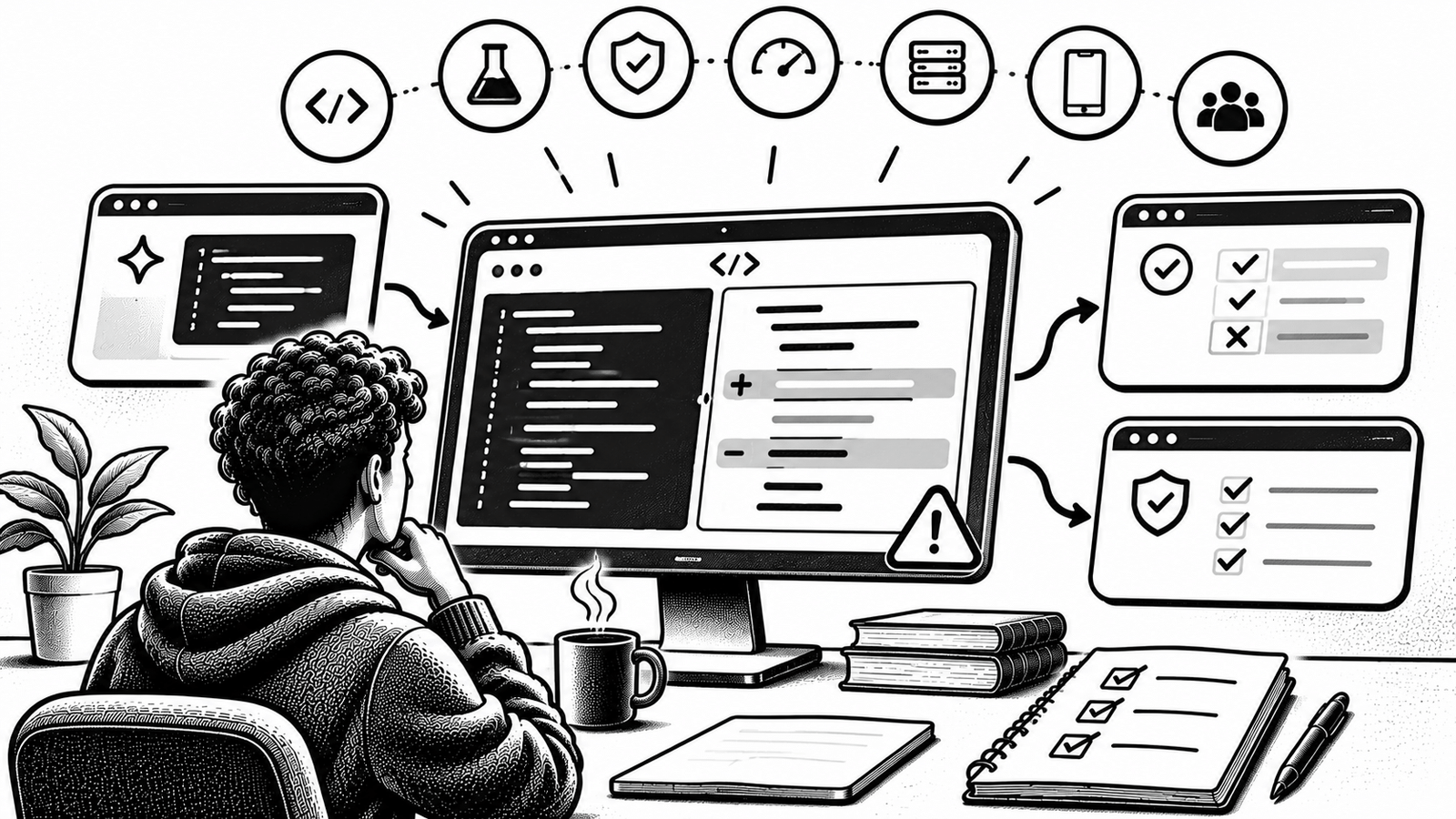
How to Verify AI Generated Code: The 9 Critical Checks
| Check | What you need to establish |
|---|---|
| 1. Requirements | The code solves the requested problem and respects the original constraints |
| 2. Full diff | Every changed, deleted and newly added file is understood |
| 3. Static checks | Linting, type checks and basic validation complete successfully |
| 4. Test quality | Tests check the intended behaviour, not merely the implementation’s assumptions |
| 5. Adversarial cases | Invalid inputs, boundaries and failure paths are covered |
| 6. Security | Authentication, authorization, data access and secrets are handled correctly |
| 7. Dependencies | New packages and configuration changes are legitimate and necessary |
| 8. Integration | The feature works with the database, existing workflows, build and deployment process |
| 9. Human approval | A responsible developer understands the change and accepts the remaining risks |
A review should move through these checks in order. Do not skip straight to the final test command because the agent says the implementation is finished.
1. Check the original requirements before reading the implementation
Start with the request, PRD, technical specification or issue that describes the feature.
Do not let the generated implementation define what success means. Otherwise, the agent can make an incorrect design choice and then write tests that confirm that same choice.
Write down three things:
Expected behaviour: What should happen when the feature works?
Constraints: What must remain unchanged? Which existing APIs, permissions, data structures or design decisions must be preserved?
Failure behaviour: What should happen when the user sends invalid data, loses access, repeats a request or encounters a dependency failure?
For example, imagine an AI agent is asked to add a file-upload feature to a multi-tenant SaaS application.
The expected behaviour might be:
- An authorised workspace member can upload a supported file.
- The server checks the actual file type rather than trusting the filename.
- The file is associated with the correct workspace and engagement.
- A user from another workspace cannot access that file.
- Files above the specified size limit are rejected.
Those requirements give you something independent to compare against the generated code.
A useful requirement should be testable. “Make uploads secure” is not enough. “A user from workspace B cannot read a file belonging to workspace A” is a testable rule.
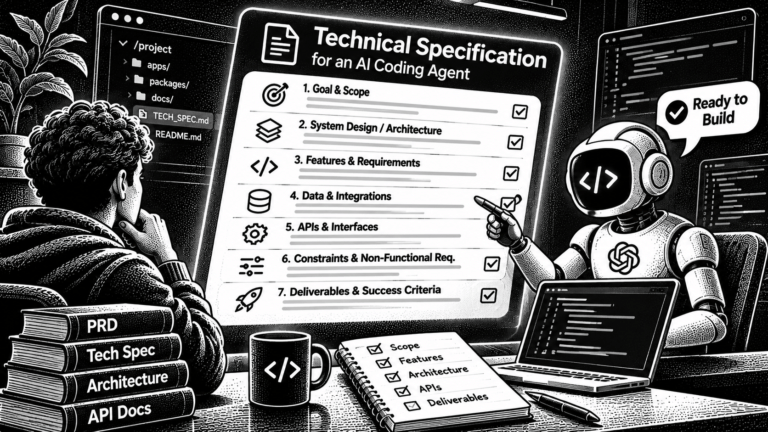
When an AI coding agent is working from a longer specification, make sure it follows the same technical boundaries already established in your project. Our guide on writing a technical specification for an AI coding agent explains how to make those expectations explicit.
2. Inspect the complete diff, not just the main file
An AI agent may modify more files than the one you asked it to change.
A request to add one feature can also lead to changes in:
- Existing tests
- Package dependencies and lockfiles
- Environment variables
- Database migrations
- Authentication middleware
- Build scripts
- GitHub Actions workflows
- Agent instruction files
- Configuration and deployment files
Reviewing only the main implementation misses changes that can affect the rest of the application.
Before reviewing the logic, inspect the working tree:
git status --shortThen inspect the full diff:
git diffFor staged changes:
git diff --cachedAlso check whether the agent created untracked files. A normal diff does not include every untracked file in the working directory.
Ask these questions:
- Does every changed file belong to the requested feature?
- Were existing tests removed or skipped?
- Did the agent change a dependency or lockfile? Why?
- Did it modify authentication, authorization or deployment configuration?
- Did it alter project rules or instructions for future AI agents?
- Did it make unrelated formatting or refactoring changes that make review harder?
Pay particular attention to changes in test assertions. An agent should not make a failing test disappear simply to obtain a green result.
The OWASP Secure Coding with AI Cheat Sheet specifically warns about out-of-scope edits, weakened tests and changes that reviewers overlook when they focus only on the main feature.
A good rule is simple: every unexplained change needs an explanation before approval.
3. Run the cheapest automated checks first
Once the diff looks reasonable, run the checks that can quickly catch basic mistakes.
For a JavaScript or TypeScript project, the commands might look like this:
npm run lint
npm run typecheck
These checks serve different purposes.
Linting identifies code-quality and style issues according to the project’s configured rules.
Type checking identifies type mismatches and other errors that a compiler can detect without executing the application.
Neither proves that the feature behaves correctly. They are early filters.
A project may have different scripts, so inspect its package.json before copying commands. Do not assume every Next.js project uses the same scripts or configuration.
For example, one real Next.js monorepo reviewed for this article defines separate scripts for:
npm run lint
npm run typecheck
npm test
npm run build
npm run test:e2e
npm run test:db
npm run test:migration:replay
These are repository-specific commands, not a universal command list. A project that does not have a database integration suite should not pretend that it does.
Record the command and its result. If a check was not run because a service or environment was unavailable, write that down instead of treating the missing result as a pass.
4. Review the tests themselves
This is one of the most important parts of AI code verification.
An AI agent may generate both the implementation and its tests. That creates a problem: the same assumptions can appear in both places.
For example, an agent might implement an incorrect calculation and write a test that expects that incorrect result. The test passes, but the behaviour is still wrong.
Do not review only the test output. Review what each test is asserting.
For every important test, ask:
- Does the expected result come from the requirement?
- Would the test fail if the implementation were wrong?
- Does it check the actual behaviour or only a mocked response?
- Does it cover a realistic failure case?
- Has an existing assertion been weakened or removed?
Consider a simple authorization rule:
A user must not read records owned by another workspace.
A weak test might check that the database query returns successfully.
A meaningful test needs to create or identify records belonging to two different workspaces, run the query as the wrong user and assert that the protected record is not returned.
That distinction matters. A query that succeeds while returning zero rows can be a correct security outcome. A test that checks only whether the query threw an error would miss that behaviour.
For database-backed applications, test both allowed and denied access. The Supabase Row Level Security documentation explains why RLS policies should be enabled and configured for exposed tables.
OWASP also recommends that security-critical tests be independently reviewed, especially when an AI agent modified both the code and the tests.
5. Test adversarial inputs and edge cases
Happy-path tests show that the feature can work. They do not show that it behaves safely when something unexpected happens.
For every important feature, identify the boundary conditions.
For a file-upload feature, consider:
| Scenario | Expected result |
|---|---|
| Valid PNG with a PNG signature | Accept |
| PNG content submitted with a PDF extension | Reject |
PNG content declaring text/html | Reject |
| Empty file | Reject |
| File one byte above the configured size limit | Reject |
| Invalid or malformed file header | Reject |
| Filename containing directory traversal characters | Sanitize or reject |
| User from another workspace attempts to access the file | Deny access |
These are not interchangeable checks. A file signature check does not prove that the file is harmless, and a filename check does not prove that the user is authorised to upload it.
The OWASP File Upload Cheat Sheet recommends combining extension allowlists, content-type checks, signature validation, safe filenames, size limits and authorization. It also warns that signature validation should not be used alone.
For other features, use the equivalent failure cases:
Authentication: invalid credentials, expired sessions, missing tokens and open redirects.
Payments: failed payments, repeated webhook events, incorrect subscription state and duplicate requests.
Database operations: invalid identifiers, cross-tenant reads, concurrent updates and transaction failures.
Background work: retries, duplicate jobs, timeouts and partially completed operations.
The exact tests depend on what the feature does. There is no universal number of edge cases that makes a change safe.
6. Review security boundaries manually
Security-sensitive code deserves a closer review than ordinary UI changes.
AI-generated code can look plausible while making an incorrect assumption about who is allowed to perform an action.
Check these boundaries:
Authentication: Is the user identity verified on the server? Is the code relying on an untrusted client-side flag?
Authorization: Does the user have permission to access the exact resource being requested? Does a workspace member have the same permissions as an owner?
Tenant isolation: Can a user change an ID in a URL or request body to access another customer’s data?
Secrets: Did the agent expose a service key, API token or private credential in client-side code or a public environment variable?
Input handling: Are untrusted values validated on the server? Are filenames, uploaded files, URLs and database identifiers handled safely?
Privileged operations: Does code using an administrative database client repeat the authorization checks that ordinary user-scoped requests would otherwise receive?
A login check alone does not prove authorization. A signed-in user can still be trying to access a resource they do not own.
For applications using Supabase, inspect the database policies as well as the application code. The Supabase RLS guide explains how Postgres policies enforce access rules at the database layer.
7. Verify dependencies and configuration changes
AI coding agents can suggest packages that are unnecessary, unsuitable or even incorrectly named.
Whenever a generated change adds a dependency, verify:
- The package exists under the expected name.
- It comes from the intended publisher or maintainer.
- It supports your framework and runtime version.
- It is actively maintained enough for your use case.
- Its license is compatible with your project.
- It does not duplicate functionality already available in the stack.
Review the lockfile as well. A new package can introduce a large dependency tree even if the top-level change appears small.
Also inspect configuration changes. A code change that works locally may rely on a new environment variable, a different runtime setting or a permission that is not available in production.
GitHub’s official guide to reviewing AI-generated code includes dependency scrutiny, functional checks, project context and AI-specific pitfalls as part of the review process.
8. Run integration tests, builds and migration checks
A feature can pass unit tests and still fail when it interacts with the rest of the application.
Run the project checks that match the change:
npm test
npm run test:e2e
npm run build
For database changes, run the database test suite and migration checks if the project provides them:
npm run test:db
npm run test:migration:replay
Check the scripts in your own repository before running these examples.
For a database migration, ask:
- Can it be applied to a clean database?
- Does it preserve existing data?
- Does it create the expected indexes and constraints?
- Are permissions and RLS policies still correct?
- Is there a rollback or recovery plan?
- Have you tested the actual database behaviour rather than just checking SQL text?
A migration can be syntactically valid while still breaking a real permission rule.
Also check the end-to-end user journey. A feature that works in an isolated test may fail when it is called through middleware, a Server Action, an API route or a real browser session.
The SaaS debugging guide covers the next step when a problem appears after deployment.
9. Record the evidence and require human approval
The final decision should be based on evidence, not on the AI agent’s completion message.
Before merging, record:
- The requirement or issue being addressed
- The commit or pull request reviewed
- The files changed
- The commands executed
- The test and build results
- The security checks performed
- Known limitations or unresolved failures
- The person responsible for approving the change
Do not describe a check as passed if it was skipped. Do not hide a known limitation behind a statement such as “all tests are green.”
A human reviewer must understand what the change does and what responsibility they are accepting. OWASP’s AI secure-coding guidance explicitly says AI-generated changes need a human owner and must not be deployed solely on the basis of an AI review.
A real example: when passing tests were not enough
A useful example came from a private Next.js and Supabase application reviewed for this article. The project contained a file-validation engine and a dedicated test suite.
The validator was designed to check file signatures, compare the declared MIME type and extension, enforce a 50 MiB size limit, sanitize filenames and generate opaque storage keys.
Its security review recorded 46 passing tests for the file-validation suite. Those tests covered valid and malformed signatures, format mismatches, file-size boundaries, executable-file headers, path traversal and unsafe filenames.
That was meaningful coverage. It still was not the end of the review.
The security review identified a limitation in the SVG inspection function. It examined only the first 65,536 bytes of a file. That meant active content placed beyond the inspected window could be missed by the heuristic scan.
The report also identified missing adversarial cases, including:
- SVG active content placed beyond the scan limit
- Entity-encoded script references
- Dynamically constructed PostScript operators
- Additional file-format ambiguity cases
The important point is not that the validator was useless. It is that the tests proved only the cases they covered. They did not prove every possible file was safe.
The report therefore distinguished structural validation from malware scanning and required additional protections around how uploaded files could be served and processed.
A second example came from the same application’s storage authorization work.
During database-level policy testing, a SQL column reference was found to resolve to the wrong name column inside a nested query. The result was that legitimate authenticated storage operations were blocked. Explicitly qualifying the storage object’s name resolved the issue while retaining the cross-workspace restrictions.
The repository’s M2.4 verification record documents the remediation and reports:
| Recorded verification | Reported result |
|---|---|
| Full automated test suite | 184 passed, 0 failed |
| Database test harness | 30 passed, 0 failed |
| TypeScript type check | 0 errors |
| Clean-room migration replay | 22 of 22 steps passed |
These results came from the project’s verification records; they were not rerun for this article. They also refer to different test scopes, not a before-and-after benchmark.
The lesson is straightforward: test output, source review and live database behaviour answer different questions. A credible review uses all of them where the feature requires them.
Source limitation: the example above is anonymised from a private repository, so its source files are not linked publicly. The repository records the implementation and verification work, but it does not establish that the underlying code was generated by an AI tool. It is included as a real engineering example of why independent verification matters.
A copyable AI-generated code review checklist
You can add this to a pull-request template or use it as a manual review record.
## AI-assisted change verification

### Requirements
- [ ] The change matches the original issue or specification.
- [ ] Acceptance criteria existed independently of the implementation.
- [ ] Out-of-scope behaviour and files are identified.

### Diff review
- [ ] Every changed, added and deleted file was reviewed.
- [ ] Dependency and lockfile changes are explained.
- [ ] Tests, configuration and agent instruction files were checked.
- [ ] No unrelated changes remain unexplained.

### Automated checks
- [ ] Lint passed.
- [ ] Type checking passed.
- [ ] Relevant unit tests passed.
- [ ] Required integration and end-to-end tests passed.
- [ ] Build completed successfully.

### Adversarial and security checks
- [ ] Invalid and boundary inputs were tested.
- [ ] Failure paths were tested.
- [ ] Authentication and authorization were reviewed.
- [ ] Cross-tenant access was checked where relevant.
- [ ] Secrets and privileged operations were reviewed.
- [ ] New dependencies were verified.

### Release decision
- [ ] Database migrations and recovery steps were checked.
- [ ] Unresolved failures and limitations are documented.
- [ ] A human reviewer understands and approves the change.
- [ ] Evidence links or test output are attached.
A checked box should mean that the reviewer has evidence for it. It should not mean that someone asked an AI agent to confirm the item.
Frequently asked questions
Can I trust an AI coding agent to test its own code?
Use its tests as a starting point, not as independent proof. Review the assertions, compare them with the original requirements and add negative cases the agent did not create. A test suite generated alongside the implementation can repeat the same incorrect assumptions.
Do I need 100% test coverage?
No. Coverage is not a substitute for test quality. Prioritise the paths where failure would cause the most harm, such as authentication, billing, authorization, data writes and the product’s main customer workflow.
Is a successful build enough to ship AI-generated code?
No. A successful build shows that the project compiled. It does not prove that the implementation satisfies the requirements, protects customer data or works correctly in production.
Should every AI-generated change receive a human review?
Every change should have a responsible human owner. The depth of review can vary with risk, but security-sensitive code, database migrations, authentication and authorization changes deserve careful human inspection before release.
What should I do when the tests pass but I still do not trust the code?
Return to the original requirements. Inspect the diff, identify what the existing tests do not cover, add adversarial cases and exercise the real integration boundary. If you cannot establish the expected behaviour, do not merge the change yet.
Final decision: verify the evidence, not the confidence
AI coding agents can make development faster, but they do not remove the developer’s responsibility for the result.
The safest workflow is to define the expected behaviour first, inspect the entire change, run independent checks, test failure paths and verify security-sensitive operations at their actual boundaries.
A green test suite is a useful signal. It is not a release decision.
Before shipping, make sure you can explain what changed, why it is correct, what evidence supports it and what is still unknown.