Table of Contents
Your product has already launched once. Maybe it received little attention. Maybe people visited but did not become customers. Or perhaps you have spent the last few months improving the product and now have something substantially better to show.
The obvious thought is to launch again.
But publishing the same product with a new image, a different headline, or a fresh announcement does not automatically make it a meaningful second launch. People who saw the first version need a reason to pay attention again. Platforms may also have rules about repeat submissions.
Relaunching a product makes sense when there is a meaningful reason for a new audience or previous visitors to reconsider it. That reason might be a major product change, a different use case, a new customer segment, or a genuine shift in what the product offers.
This guide explains how to decide whether a second launch is worth doing, what counts as a meaningful change, and how to prepare it for platforms such as Product Hunt and Hacker News.
It focuses on the relaunch decision and preparation, not on diagnosing every cause of a failed first launch or creating a fixed recovery schedule.
What Does Relaunching a Product Actually Mean?
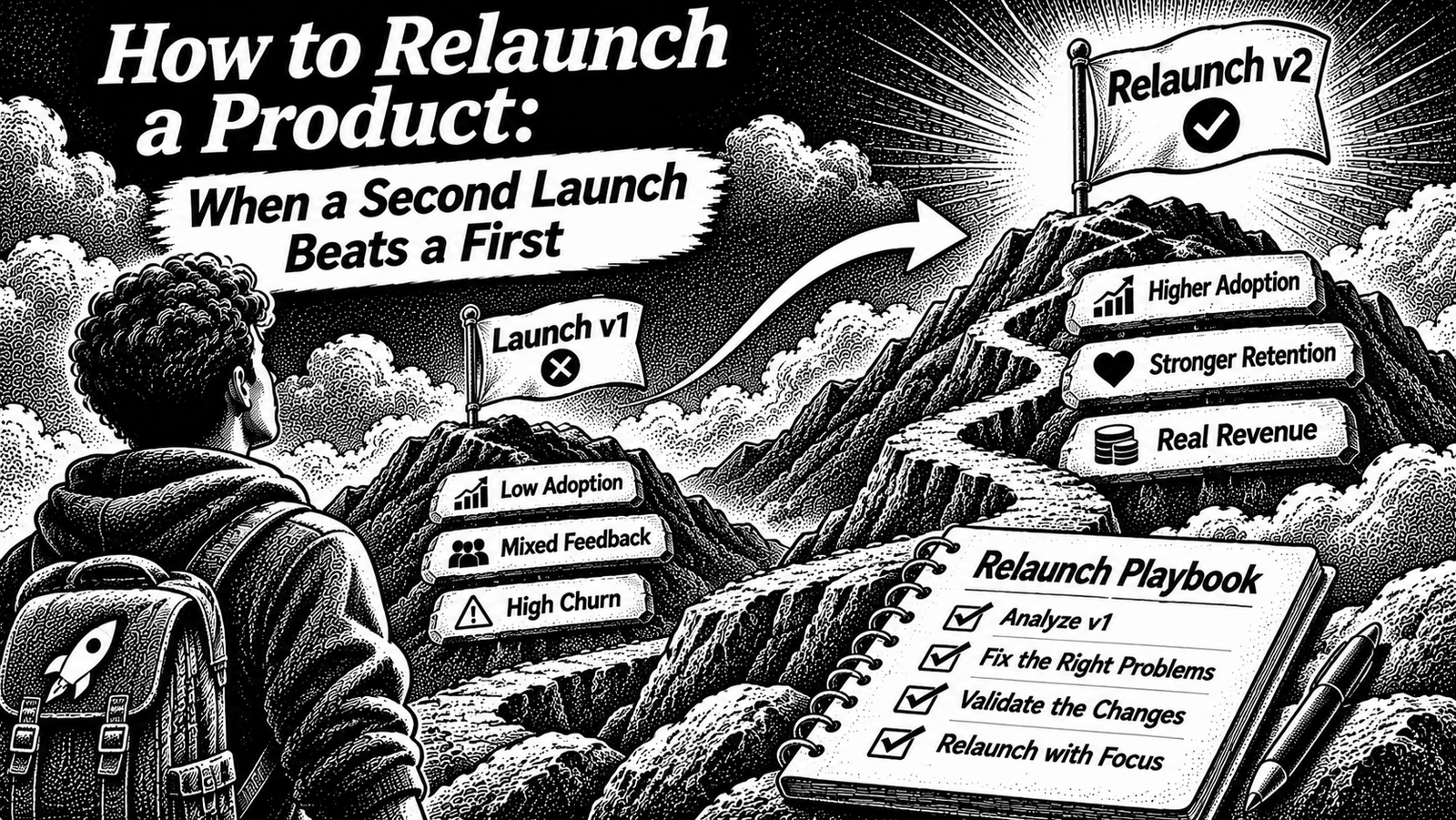
A product relaunch is a new, deliberate launch event for an existing product after a meaningful change.
It is different from a routine product update.
A normal update might include:
- Fixing bugs.
- Improving page design.
- Adding small features.
- Changing pricing.
- Rewriting the landing-page copy.
- Publishing another announcement.
These activities can be valuable, but they do not necessarily justify another major launch.
A relaunch should give people a genuine new reason to discover, evaluate, or try the product.
For example, consider a developer tool that initially helped users inspect API responses. After the first release, its creator adds a complete workflow for comparing API environments, saving test collections, and sharing results with a team.
The product now supports a more substantial workflow than before. That may create a legitimate reason to introduce it again, depending on the platform and the audience.
The important distinction is not how many changes you shipped. It is whether the product now offers something meaningfully different.
When Should You Relaunch a Product?
A second launch is worth considering when the first launch and the current product are meaningfully different.
Here are situations where a relaunch may make sense.
1. You have added a major capability
A new capability can change what users can accomplish with the product.
Examples include:
- A tool that previously supported one workflow now supports a complete workflow.
- A web application now has a fully functional mobile application.
- A developer utility now supports team collaboration and shared workspaces.
- A single-purpose product now solves a broader but clearly defined user problem.
The new capability should be meaningful to the intended user. A long list of minor improvements is not automatically a major product change.
2. You have changed the target audience
Your first launch may have targeted a broad audience, while actual usage revealed a more specific group that gets value from the product.
For example:
- Original positioning: project management software for everyone.
- New positioning: project tracking for small software agencies managing client work.
The product might not need a complete rebuild. The new audience, use case, onboarding, and product story may nevertheless represent a meaningful change.
Before relaunching, make sure the product genuinely supports the new audience. Changing the headline alone is not a repositioning.
3. You have rebuilt the core experience
Sometimes the first version is too rough to demonstrate the actual product promise.
A substantial rebuild can justify a fresh introduction when it changes the experience or functionality in a meaningful way.
Examples:
- Replacing an incomplete workflow with a usable end-to-end experience.
- Rebuilding a prototype into a working product.
- Introducing a new product surface that changes how customers use it.
- Replacing a limited interface with a substantially different workflow and new functionality.
A visual redesign by itself is usually a weak reason to relaunch. Explain what users can now do that they could not do before.
4. You have expanded into a genuinely different use case
A product may begin with one narrow problem and later support a different use case.
For example, a personal expense tracker might evolve into a shared expense management product for small teams.
A new use case can make a second launch relevant to people who were not interested in the first version.
Be careful not to label every additional feature as a new use case. The change should affect the product’s actual value and intended audience.
5. You now have proof that was missing the first time
A first launch may introduce an early product before there is enough evidence to explain its value.
Later, you may have:
- A working customer workflow.
- Permissioned customer feedback.
- A demonstrable result.
- A clear use case supported by real users.
- A product demo that shows the complete experience.
That can make the second launch more credible.
Do not invent testimonials or use private customer information without permission. A relaunch should be supported by evidence that you can actually show.
When Should You Not Relaunch?
A second launch is not always the best next step.
| Situation | Better next move |
|---|---|
| You changed only the logo, screenshots, or colours | Update your existing product page and marketing assets. |
| You changed the price but not the product | Announce the pricing change to the relevant audience. |
| You fixed a few bugs | Ship the update and communicate it through normal release channels. |
| Your first launch received little attention, but the product is unchanged | Improve distribution and reach a more relevant audience before repeating the launch. |
| You still do not understand why users are not converting | Collect evidence and talk to users before preparing another launch. |
| You have added a major capability or a genuinely different use case | Evaluate a second launch against the platform’s rules. |
A weak first launch does not automatically mean the product deserves another launch.
Likewise, a quiet launch does not automatically mean the product is bad. A platform may not have reached the right audience, or your message may not have explained the product clearly.
The decision should come from what changed and what you learned, not from disappointment with the first result.
The What-Changed Test
Before preparing a second launch, write a short comparison between the first and current versions.
Use this worksheet:
| Question | First launch | Current version |
|---|---|---|
| Who is the product for? | ||
| What problem does it solve? | ||
| What can users accomplish? | ||
| Which major capabilities are available? | ||
| What does the first-use experience look like? | ||
| What proof can you show? |
Then answer these questions:
- Can a previous visitor identify what has changed?
- Does the change give the intended audience a new reason to try the product?
- Can you demonstrate the new capability?
- Is the product ready to deliver the new promise?
- Does the target launch platform accept this type of repeat submission?
If the only meaningful difference is a new tagline or a redesigned landing page, you probably need a product update rather than a relaunch.
Write the change in one sentence
Try this format:
“Since our first launch, we have changed [important part of the product] so that [specific audience] can now [new outcome].”
For example:
“Since our first launch, we have added shared test collections and environment comparison so development teams can review API changes together.”
This is an illustrative example, not a real company result.
If you cannot explain the change clearly in one sentence, the new product story probably needs more work.
Product Hunt Relaunch Rules
Product Hunt has specific requirements for launching the same product or company again.
According to its Help Center article, updated July 7, 2026:
- Makers are asked to wait at least six months between posts for the same product or company.
- Products sharing the same root domain must also follow a six-month submission gap.
- A relaunch needs a significant product update.
- New UIs and pricing-plan changes alone do not count as significant updates.
- A new mobile app or a complete redesign with new functionality may qualify.
- The update should serve a substantially different use case or user.
- A relaunch inside the six-month period requires a request explaining the changes and review by the Product Hunt team.
- Approval does not guarantee that the relaunch will be featured on the homepage.
Read the official Product Hunt relaunch policy before choosing a date.
Product Hunt also explains the relaunch process in its Two Weeks Post-Launch guide.
What this means in practice
Do not schedule your second Product Hunt launch just because six months have passed.
The product still needs a meaningful update.
Prepare a short explanation that answers:
- What was different in the first version?
- What has changed since then?
- Why does this change matter to users?
- Which new use case or user does it serve?
- Where can people try the new experience?
Keep evidence ready. A working demo, updated screenshots, and a clear explanation of the new capability make it easier to show what changed.
Check the official policy again when preparing the submission. Platform rules can change.
Hacker News: Show HN Relaunch Considerations
Hacker News handles product launches differently from Product Hunt.
Show HN is intended for something you have personally made that people can actually try. The official guidelines say that minor upgrades and routine releases generally are not substantive enough for another Show HN. A major overhaul may be appropriate.
The Show HN guidelines also emphasize that:
- The product should be usable.
- The creator should be available to discuss it.
- The submission should explain what the project does and why it was made.
- A landing page or signup page alone is not a Show HN.
- Creators should not ask friends to upvote or comment.
Hacker News moderator guidance adds that a new Show HN can make sense when the new version is significantly different. When reposting, link to the previous Show HN and explain what changed. The guidance suggests that doing this once or twice a year is probably enough; more frequent reposts can become excessive.
Read the moderator’s Show HN posting tips.
What should you do before posting again?
Make sure the new version is genuinely usable. Give readers a short, factual explanation of the changes and provide a direct way to try the product.
Do not treat Show HN as an advertising slot. Be ready to answer technical questions, explain your decisions, and receive criticism.
If your previous post already attracted significant attention, a repeat submission for the same project is a different situation from a post that received little attention. Review the community guidance before submitting again.
What About Other Launch Directories?
Not every launch platform uses the same rules.
Some directories keep product pages available after launch. Others offer separate launch events, queues, or paid promotion options.
For example, Uneed’s How It Works page says a product page remains available after launch. Its current public explanation describes the launch queue and paid queue-skipping option, but does not provide a complete repeat-launch policy in the accessible page text.
Do not assume that a new submission, a paid placement, and an official relaunch are the same thing.
Before booking another launch slot, confirm:
- Whether the platform allows the same product to launch again.
- Whether the product needs a significant update.
- Whether the original listing remains live.
- Whether a new launch creates a new listing or updates the existing one.
- Whether a repeat launch costs money.
- Whether the platform has a minimum waiting period.
- Whether the platform has any restrictions on repeated submissions.
If the rules are unclear, contact the platform before paying or preparing launch assets.
A platform policy that is not publicly documented should be treated as unknown, not guessed.
How to Prepare a Relaunch
Once you have confirmed that a second launch is justified and the platform permits it, prepare the new launch as its own event.
1. Document what changed
Create a short change summary.
Include:
- The previous product experience.
- The most important changes.
- The new or improved use case.
- The audience that benefits.
- The reason the new version deserves attention.
Avoid listing every minor update. Highlight the few changes that materially affect the user.
2. Update the product experience before promoting it
Make sure the new product experience is ready before announcing it.
Review:
- Main user workflow.
- Signup and onboarding.
- Product documentation.
- Pricing and limitations.
- Mobile and desktop experience, where applicable.
- Important errors and broken functionality.
- Demo account or trial access, if available.
A relaunch should demonstrate improvement, not expose unfinished work.
3. Replace outdated launch assets
Do not reuse the old launch presentation without reviewing it.
Prepare updated:
- Logo and thumbnail where necessary.
- Product screenshots.
- Demo video or GIF.
- Product description.
- Short tagline.
- Feature explanation.
- Landing page.
- Launch announcement.
The visuals should show the current product, not the version people saw previously.
4. Lead with what changed
Your new announcement should explain why this version deserves another look.
A useful structure is:
What it was: Explain the original product briefly.
What changed: Describe the meaningful improvements.
Who benefits: Identify the audience and use case.
What people can do now: Show the current experience.
Try it: Provide a direct link to the working product.
Do not make the second announcement look like the first one with different wording.
5. Build a relevant launch audience
Do not rely entirely on the platform to distribute your relaunch.
Prepare an audience that has a reason to care:
- People who tried the first version.
- Users who requested the new capability.
- Existing customers who may benefit.
- Relevant communities where you already participate.
- Subscribers who opted in to receive product updates.
- People who match the new target audience.
A waitlist can help you organize people who want to hear about the new version. The guide to building a SaaS waitlist covers how to prepare and manage that audience before a launch.
Do not send promotional messages to people who never agreed to receive them.
6. Prepare a real product demo
The product should be easy to understand.
A short demo can show:
- The problem the product solves.
- The relevant workflow.
- The new capability.
- The outcome a user can achieve.
Avoid spending the entire video on animations, logos, and feature lists. Show the actual experience.
The developer tool launch guide explains why documentation and demos matter when introducing a developer-focused product.
7. Define what the second launch should achieve
Do not define success only through upvotes or ranking.
Choose an outcome that matches the reason for relaunching.
For example:
| Relaunch objective | What to observe |
|---|---|
| Reach a new audience | Relevant visitors and qualified conversations |
| Validate a new use case | Users attempting the intended workflow |
| Introduce a major feature | Adoption and feedback on the new capability |
| Acquire customers | Trials, qualified leads, and paid conversions |
| Improve product understanding | Questions, objections, and demo completion |
Keep the original launch and the second launch separate in your records. Otherwise, it becomes difficult to understand what the new event actually contributed.
Relaunch Readiness Checklist
Use this checklist before selecting a second launch date.
Product change
- The current product is meaningfully different from the first version.
- The new capability or use case is clear.
- The intended audience is defined.
- The product is ready for people to try.
- The main user workflow has been tested.
Platform rules
- The platform’s latest repeat-launch policy has been checked.
- The waiting period has been confirmed.
- The change qualifies under the platform’s definition.
- Any required relaunch request or approval has been completed.
- The cost and listing format are understood.
Launch assets
- Product page is updated.
- Screenshots and demo show the current version.
- Product description explains what changed.
- Documentation and onboarding are ready.
- Relevant audience has been identified.
Measurement and follow-up
- The objective of the second launch is written down.
- Tracking is ready.
- Feedback collection is available.
- Someone is available to answer questions.
- Follow-up actions will be recorded after launch.
If the product change is unclear or platform approval is uncertain, do not rush to book a launch date.
Common Relaunch Mistakes
Relaunching the same product with a new design
A new visual identity does not necessarily create a new reason to launch. Explain the functional change, not just the design improvement.
Treating a second launch as a reset button
A second launch will not automatically fix weak positioning, an unclear audience, or product friction. Review what happened before deciding what to change.
Launching on every platform at once
Different communities have different expectations. Prepare the submission for the audience and rules of each platform instead of copying the same promotional text everywhere.
Changing too many things at once
If you change the audience, message, product, pricing, and channels simultaneously, it becomes difficult to identify which change influenced the result.
Make the major changes clear and keep a record of them.
Reusing old screenshots
Old assets can create confusion when the product now works differently. Show the current version and explain the changes.
Assuming a platform will approve the relaunch
A product may be significantly improved and still not qualify for a repeat submission under a platform’s rules. Check the policy and obtain approval where required.
Measuring the second launch only by ranking
A higher position on a launch platform is not the same as acquiring customers or proving that the product works for a new audience.
Measure the result against the goal you set before submitting.
Frequently Asked Questions
How long should you wait before relaunching a product?
There is no universal waiting period across all platforms. Product Hunt’s Help Center specifies at least six months between posts for the same product or company, with a significant update required. Hacker News uses a different standard based on whether the new version is substantially different. Always check the destination platform’s current rules.
Can I relaunch the same product on Product Hunt?
Yes, subject to Product Hunt’s relaunch requirements. Its published policy specifies a six-month gap and a significant product update. A new UI or pricing-plan change alone is not enough. Earlier submissions require a relaunch request and review.
Does a complete redesign count as a relaunch?
Not automatically. Product Hunt’s policy gives a complete redesign with new functionality as a possible significant update. The change must serve a substantially different use case or user. A visual redesign without meaningful functionality is not enough.
Should I relaunch if my first launch received very little attention?
Not necessarily. If the product has not changed meaningfully, consider improving distribution, messaging, and audience fit first. A second launch is more useful when you can offer a genuinely new reason to pay attention.
Can I submit the same product to Hacker News again?
Show HN allows a new post when the version is significantly different. Routine upgrades generally are not enough. When reposting, link to the previous Show HN and explain what changed.
Should I keep the old launch page?
Usually, keep useful historical product pages available unless there is a specific reason to remove them. They can provide context and make it easier for previous visitors to understand the new version. Check the platform’s rules before creating a duplicate listing.
Is relaunching better than launching on a new platform?
It depends on whether the product and audience justify another launch on the original platform. A new platform may reach a different audience without requiring you to repeat the same event. Compare audience fit, preparation effort, rules, and the objective of the launch before choosing.
Final Thoughts
A second launch should not be a repeat of the first one.
It should introduce a product that has changed enough to deserve fresh attention. That change might be a major capability, a new use case, a clearer target audience, or a substantially improved experience.
Before relaunching, document what changed, confirm the platform rules, prepare updated assets, and define what you want to learn or achieve.
A better second launch starts with a better product story, not simply another launch date.