

Table of Contents
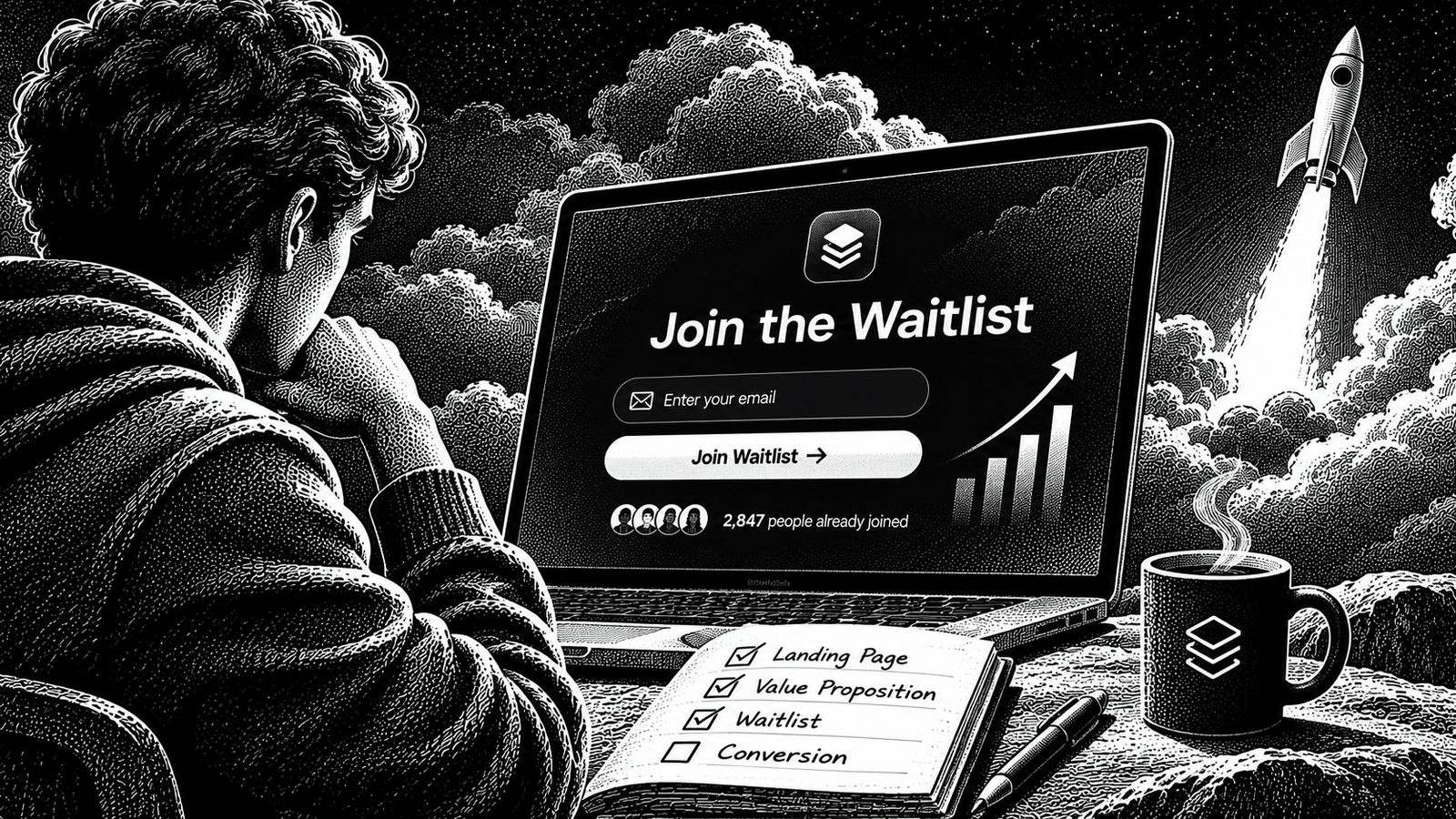
A waitlist can give your SaaS launch something valuable: a group of people who already know what you are building and have asked to hear when it becomes available.
But collecting email addresses is not the same as building an audience.
A list of 500 people who signed up because a giveaway sounded interesting may be less useful than a much smaller group who regularly experience the problem your product solves. The first group may never return. The second gives you people to speak with, learn from and invite into an early release.
The goal is not to make the biggest possible waitlist. It is to build a relevant one, keep its members informed, and give interested people a clear next step when the product is ready.
This guide covers the process from defining the audience to creating the page, getting the first signups, keeping the list engaged and converting interested subscribers into users.
What a SaaS waitlist should accomplish
A SaaS waitlist is a permission-based list of people who have asked to receive information or access updates about a product that is not yet generally available.
It can help you:
- Reach potential users before launch.
- Understand which audience responds to your product positioning.
- Invite relevant people to an early test.
- Share progress and collect feedback while building.
- Coordinate access when the product becomes available.
- Identify people who want to take the next step.
A waitlist does not automatically prove that a product is viable. Someone can submit an email address in a few seconds without intending to use or pay for the product.
Treat signups as an early signal of interest. Stronger evidence comes from conversations, repeated engagement, actual product use and, where appropriate, a real willingness to pay.
Before creating a page, make sure you have a reasonably clear product idea. The guide on validating a micro-SaaS idea without building it covers the earlier validation stage.
The waitlist process
Build your waitlist in six stages:
- Define the audience and the problem.
- Write a specific product promise.
- Create a focused waitlist page.
- Recruit signups through relevant channels.
- Keep subscribers informed and interested.
- Invite qualified people to try the product and measure what happens.
Each stage gives you information that should influence the next one. Do not spend weeks promoting a page if visitors cannot understand what the product does.
Step 1: Define who should join your waitlist
Start with the person who experiences the problem, not the broadest possible audience.
For example, “small businesses” is usually too broad. A more useful audience description might be:
- Independent accounting firms that process invoices for multiple clients.
- Recruiting teams that coordinate interviews across several hiring managers.
- Small SaaS teams that need to manage customer support requests.
- Freelance designers who repeatedly collect content and approvals from clients.
The more specific the audience, the easier it becomes to write a relevant message and identify places where those people already spend time.
Write down four things:
| Question | Example |
|---|---|
| Who is the product for? | Small accounting teams |
| What problem do they experience? | Invoice approvals are spread across email and spreadsheets |
| What outcome does the product offer? | A clearer approval workflow |
| Why might they care now? | The current process creates repeated follow-ups and delays |
These are example inputs, not claims about a real product or customer.
Separate users from buyers
For a B2B SaaS, the person who uses the product may not be the person who purchases it.
An accounts assistant may use an invoice tool every day, while a finance manager approves the purchase. Your waitlist can capture both roles, but the page should make its primary audience clear.
You can ask one optional question about a visitor’s role or workflow to understand who is signing up. Avoid turning the form into a long customer survey.
Decide what a qualified signup looks like
Write a simple definition before promotion begins.
For example:
“A qualified signup is a person who belongs to our target audience, experiences the problem we address, and has asked to receive product updates.”
This definition makes it easier to distinguish relevant interest from unrelated traffic.
Step 2: Write a product promise people can understand
Your waitlist page needs one clear explanation of the product.
Avoid vague phrases such as:
- The future of productivity.
- A revolutionary platform.
- The all-in-one solution for everyone.
- AI-powered innovation for modern businesses.
These phrases might sound impressive, but they do not tell visitors whether the product is relevant to them.
Use this structure:
We help [specific audience] achieve [specific outcome] without [current frustration].
For example:
“We help small accounting teams track invoice approvals without chasing updates across email and spreadsheets.”
This is clearer because it identifies the audience, the job and the desired result.
Do not promise features you have not built
A waitlist is not a reason to exaggerate the product.
Separate what is already available from what is planned. If a feature is still a prototype or an idea, do not describe it as a finished capability.
A useful product promise should remain accurate even when the visitor asks you to demonstrate it.
Test the message before scaling promotion
Show the description to a few people who match your target audience. Ask them:
- What do you think this product does?
- Who do you think it is for?
- What problem do you think it solves?
- What would you expect after joining the waitlist?
If their answers differ substantially from what you intended, improve the message before sending more traffic.
Step 3: Build a waitlist landing page
Your waitlist page should answer five questions quickly:
- What is being built?
- Who is it for?
- What problem does it address?
- Why should someone join now?
- What happens after signup?
A visitor should not have to explore multiple pages to understand the offer.
Recommended page structure
1. Headline
State the intended outcome and audience.
Example:
“Manage client invoice approvals without the email back-and-forth.”
2. Supporting description
Explain what the product does in a short paragraph. Keep the description factual and avoid unsupported performance claims.
3. Product preview
Show an authentic screenshot, working prototype, short demonstration or product diagram. Do not use a fabricated interface and present it as a working product.
If the interface is not ready, explain what stage the product has reached.
4. Main benefits
Use a few specific benefits connected to the problem. Avoid listing every feature planned for the future.
5. Waitlist form
Collect an email address and, where useful, one optional qualification question.
6. What happens next
Tell subscribers whether they will receive development updates, an invitation to an early release, or a launch announcement.
7. Privacy information
Link to your privacy policy and explain how the signup information will be used.
What should the waitlist form ask?
Keep the form focused.
| Field | Recommendation | Purpose |
|---|---|---|
| Email address | Required | Contact the subscriber |
| Role | Optional | Understand the audience |
| Main problem | Optional | Learn what people want solved |
| Current tool or workaround | Optional | Understand existing behaviour |
| Company or team size | Only when relevant | Segment a B2B audience |
Do not require a phone number, full address or unrelated personal information just to join a waitlist.
A useful form might ask:
“Which best describes you?”
- Founder or business owner
- Manager or team lead
- Individual contributor
- Consultant
- Other
You can ask the person what they currently use to solve the problem in a separate optional question.
Explain the signup clearly
The form should tell visitors what they are agreeing to receive.
For example:
“Join the waitlist for product launch updates and information about early access. You can unsubscribe from marketing updates at any time.”
The exact wording and consent setup should match the messages you plan to send and the laws that apply to your audience. Do not assume that entering an email address gives unlimited permission to add someone to unrelated marketing campaigns.
Step 4: Get your first relevant signups
Once the page is ready, distribution becomes the main job.
Start with channels where your intended users already spend time. Do not publish the same promotional message everywhere and expect the same result.
1. Start with people you already know
Make a list of people who:
- Have discussed the problem with you.
- Work in the relevant industry.
- Have previously asked about the product.
- Have agreed to receive updates.
- Can introduce you to people who match the target audience.
Send a personal message explaining what you are building and why you think it could be relevant.
Do not treat a personal connection as automatic permission to add someone to a marketing list. Invite them to join themselves.
2. Use professional communities
Find communities based on the actual problem and target user.
Depending on your SaaS, these could be professional Slack groups, Discord communities, relevant subreddits, industry forums, LinkedIn groups or specialist associations.
Spend time understanding the community before sharing your waitlist.
A useful contribution might be a guide, answer, workflow improvement or discussion of the problem you are solving. Mention the product only where it is relevant and permitted by the community rules.
Avoid drive-by promotion, repeated links and unsolicited bulk messages.
3. Publish useful content
Content gives potential users a reason to discover your product before it is available.
Useful content ideas include:
- A breakdown of the problem your product addresses.
- A comparison of existing workarounds.
- A demonstration of a prototype.
- A discussion of a common industry workflow.
- A short explanation of a design decision.
- A progress update showing what has changed.
Do not make every post a signup request. Give readers something useful even when they do not join the list.
This connects to the broader process of building an audience for a SaaS product.
4. Build in public
Share progress in a way that helps people understand the product.
For example:
- What problem you are investigating.
- What you learned from a user conversation.
- What you changed in the product.
- Why you removed a feature.
- What the current prototype can and cannot do.
Use real screenshots and observations from your own work. Do not invent customer reactions, development milestones or product metrics to make an update more interesting.
A useful progress update can create interest without pretending that the product is already successful.
5. Work with relevant partners
A newsletter author, community organiser, consultant or industry educator may already have the audience you want to reach.
A partnership can take the form of a useful interview, product demonstration, educational resource or newsletter mention.
Choose partners based on audience relevance, not just follower count.
Be transparent about sponsorship, compensation or affiliate arrangements where applicable. Do not ask partners to make claims they cannot verify.
6. Consider paid promotion only after the message is clear
Paid advertising can bring visitors to a waitlist page, but it does not fix an unclear offer or an unsuitable audience.
Before spending money, check whether relevant visitors understand the product and whether the page captures useful information.
Start with a small, controlled test only when you can measure the source of signups and the quality of those signups. Avoid buying email lists or sending traffic through misleading incentives.
Step 5: Keep the waitlist warm
A waitlist becomes less useful when people forget why they joined.
Do not collect email addresses and disappear until launch day.
Set a realistic communication expectation when someone signs up. Then send meaningful updates when you have something worth sharing.
A simple sequence could look like this:
| Message | Purpose | What to include |
|---|---|---|
| Welcome | Confirm the signup | Product summary and what happens next |
| Progress update | Maintain interest | A real development update or useful learning |
| Product preview | Make the product tangible | A genuine screenshot, demonstration or prototype |
| Feedback request | Learn from subscribers | One focused question about the problem or workflow |
| Early-access invitation | Move interested people forward | Access details, limitations and what feedback is requested |
| Launch announcement | Tell subscribers the product is available | Product link, relevant use case and next step |
This is an example sequence, not a compulsory schedule. The interval should depend on your development progress and the expectations you set.
What makes a useful update?
A useful email answers at least one of these questions:
- What has changed?
- What did you learn?
- What can subscribers try now?
- What feedback would be useful?
- What happens next?
Avoid sending messages that only say “We are still working on it.”
A short and honest update is better than a long announcement containing no meaningful information.
Give subscribers control
Make it easy for people to unsubscribe from marketing updates.
Also keep your email sender setup in good condition. Google’s sender guidance includes authentication requirements and recommendations for spam prevention and easy unsubscribing. Requirements differ depending on sending volume. See Google’s Email Sender Guidelines.
Step 6: Add referrals carefully
A referral loop can help interested subscribers share your product with relevant people.
But referrals should not turn your waitlist into a contest that rewards low-quality signups.
A simple approach is to provide a shareable waitlist URL and make it easy for a subscriber to tell another relevant person about the product.
For example:
“Know someone who manages invoice approvals? Share the waitlist with them.”
If you offer a referral reward, explain the conditions clearly. Consider whether the incentive attracts people who genuinely need the product or merely want the reward.
Do not collect friends’ email addresses from subscribers or automatically send marketing invitations to those contacts without checking the applicable consent requirements. In the UK, the ICO warns that businesses can be responsible for electronic marketing messages they actively encourage others to send. See its guidance on electronic mail marketing.
For a waitlist, the safest starting point is a transparent shareable URL, not an automated contact-upload or friend-email campaign.
Step 7: Measure waitlist quality, not only total signups
The total number of email addresses is an incomplete measure of progress.
Track the journey from visitor to qualified signup and, eventually, to product use.
A simple waitlist tracker can include:
| Metric | What it tells you |
|---|---|
| Landing-page visitors | How many people reached the page |
| Total signups | How many submitted the form |
| Qualified signups | How many match the intended audience |
| Signup source | Where relevant people discovered the page |
| Confirmation rate | How many completed any required email confirmation |
| Update engagement | Whether subscribers interact with communications |
| Feedback responses | Whether people are willing to discuss the problem |
| Early-access acceptance | How many accept an invitation |
| Product activation | How many complete the product’s first meaningful action |
| Paid conversion | How many eventually become paying customers |
Useful calculations
Signup rate
Signup rate = Total signups ÷ Unique landing-page visitors × 100
Qualified signup rate
Qualified signup rate = Qualified signups ÷ Total signups × 100
Early-access acceptance rate
Acceptance rate = Accepted invitations ÷ Delivered invitations × 100
Activation rate
Activation rate = Activated users ÷ Users who received access × 100
These calculations describe different stages. Do not combine them into one number and call it a conversion rate.
For example, a high signup rate with a low qualified signup rate may indicate that the page attracts the wrong audience or uses a promise that is too broad.
A smaller list with a higher share of relevant users may be a better starting point for a focused launch.
An illustrative example
Imagine a fictional SaaS waitlist campaign with the following results:
| Stage | Illustrative count |
|---|---|
| Unique landing-page visitors | 1,000 |
| Total signups | 120 |
| Qualified signups | 72 |
| Early-access invitations delivered | 40 |
| Invitations accepted | 24 |
| Users who complete the core workflow | 15 |
From these illustrative numbers:
- Signup rate: 120 ÷ 1,000 × 100 = 12%.
- Qualified signup rate: 72 ÷ 120 × 100 = 60%.
- Invitation acceptance rate: 24 ÷ 40 × 100 = 60%.
- Activation rate: 15 ÷ 24 × 100 = 62.5%.
These are arithmetic examples only. They are not industry benchmarks or actual IndieOS campaign results.
The useful lesson is to inspect the stage where people stop progressing. If many sign up but few match your target audience, improve the positioning and distribution. If qualified people accept access but do not activate, investigate onboarding and product usability.
A practical 30-day waitlist plan
A short plan can help you avoid spending the entire pre-launch period promoting the page without learning anything.
The following is an illustrative four-week workflow. Adjust it to the product’s maturity and your available time.
| Period | Main work | Output |
|---|---|---|
| Week 1 | Define audience, problem, promise and qualification criteria | One clear product message |
| Week 2 | Build the page, test the signup flow and prepare welcome communication | Working waitlist page |
| Week 3 | Reach relevant communities, publish useful content and contact suitable people | First acquisition-source data |
| Week 4 | Review signup quality, speak with subscribers and prepare the next update | Qualified audience and next-step plan |
At the end of the month, ask:
- Are the people joining actually part of the intended audience?
- Which sources are producing relevant signups?
- Which questions or objections keep appearing?
- Are subscribers still interested after the first email?
- Is the product ready for early access?
- What evidence would justify changing the offer or audience?
Do not extend promotion simply to reach an arbitrary signup target. Use what you learned to decide whether to improve the message, change the channel, speak with users or revisit the product idea.
Common waitlist mistakes
Chasing a big signup number
A large list can look impressive, but unrelated signups do not automatically create customers. Measure audience fit and later behaviour.
Building the page before clarifying the product
A polished page cannot rescue an unclear promise. Get the audience and problem right first.
Asking for too much information
A long form can discourage visitors and collect information you do not need. Start with the email address and only the qualification questions that inform a decision.
Promising an unrealistic launch date
A deadline you cannot meet can reduce trust. Share a date only when you have a reasonable basis for it, and communicate changes honestly.
Going silent after signup
Subscribers need to know what happened after they joined. Set expectations and provide meaningful updates.
Treating every subscriber as a potential customer
Some people are curious, some want to help, and some genuinely need the product. Learn which group each subscriber belongs to before making assumptions.
Using giveaways to inflate the list
A giveaway can attract people who want the prize rather than the product. If you use an incentive, make sure the entry conditions do not obscure what the person is actually signing up for.
Sending marketing messages without appropriate permission
Do not assume every signup gives permission for every kind of email. Explain what subscribers will receive, provide a way to opt out, and follow the requirements that apply to your audience and location.
Frequently asked questions
How many signups should a SaaS waitlist have before launch?
There is no universal number. The right size depends on your product, target audience, launch goals, available capacity and the quality of the signups. Work backwards from the number of people you can realistically support and the feedback you need.
When should I create a waitlist?
Create one when you can explain who the product is for, what problem it addresses and what subscribers will hear from you. You do not need a finished product, but you should have a credible and specific offer.
Should I charge people to join a waitlist?
Usually, joining a waitlist should be free. Charging for access changes the nature of the offer and may create obligations around payment, delivery, refunds and consumer protection. Do not accept payment unless you have clearly defined what is being sold and can fulfil the promise.
What should I put on a SaaS waitlist landing page?
Use a clear headline, a specific audience and outcome, a short product explanation, an authentic preview where available, a focused signup form, privacy information and a clear explanation of what happens after registration.
Should I use a referral program?
Only when people have a genuine reason to recommend the product. Start with a shareable link and transparent rules. Avoid incentivising fake signups or automatically contacting people who have not given permission.
How often should I email waitlist subscribers?
There is no universal schedule. Set an expectation at signup and send updates when you have meaningful information. Avoid sending repetitive emails just to maintain a fixed frequency.
Is a waitlist enough to validate a SaaS idea?
No. A signup indicates interest, not necessarily a willingness to use or pay for the product. Combine waitlist data with interviews, observed workflows, product tests and stronger commitment signals where appropriate.
What is the difference between a waitlist and a beta program?
A waitlist collects people interested in future updates or access. A beta program gives selected participants access to an early version so they can use it and provide feedback. Not everyone on a waitlist needs to become a beta tester.
Final takeaway
A useful SaaS waitlist starts with a clear audience and a real problem. The page explains the product, relevant channels bring the right people, and regular updates keep the relationship active.
Measure who joins, where they come from, whether they match your intended users and what they do when access becomes available.
Do not treat email addresses as customers or signup totals as proof of demand. Build a list of people who have a genuine reason to care, then give them a clear path from interest to product use.
Once your waitlist begins attracting relevant people, the next step is deciding how to recruit a smaller group for early testing and how to run that beta effectively.
Sources and further reading
- Information Commissioner’s Office: Electronic Mail Marketing — UK guidance on electronic marketing and consent.
- Information Commissioner’s Office: Guidance on Electronic Mail Marketing — detailed guidance, including referral and viral marketing.
- Federal Trade Commission: CAN-SPAM Act Compliance Guide — US requirements for commercial email.
- Google: Email Sender Guidelines — authentication, spam prevention and unsubscribe guidance.
- GOV.UK: Finding Participants for User Research — recruitment and participant-research guidance.
- Apple Developer: TestFlight — example of how an app team can distribute beta access and receive feedback.
Platform guidance checked on 1 November 2026. Legal requirements vary by jurisdiction and may change. The links above are not a substitute for checking the law applicable to your business and subscribers.


[…] waitlist can help you organize people who want to hear about the new version. The guide to building a SaaS waitlist covers how to prepare and manage that audience before a […]
[…] guide focuses on a live product page. For a pre-launch page whose job is to collect interest, see how to build a SaaS waitlist. For the wider process of reaching and growing an audience, read how to build an audience for a […]