

Table of Contents
A SaaS MVP can look finished and still be unsafe to release. The signup page works, the dashboard loads, and the main buttons respond. But a customer’s payment might succeed without unlocking the product, saved data might disappear after a refresh, or one workspace might be able to access another customer’s records.
These are not minor interface bugs. They affect whether someone can start using your product, get value from it, and trust it with their work.
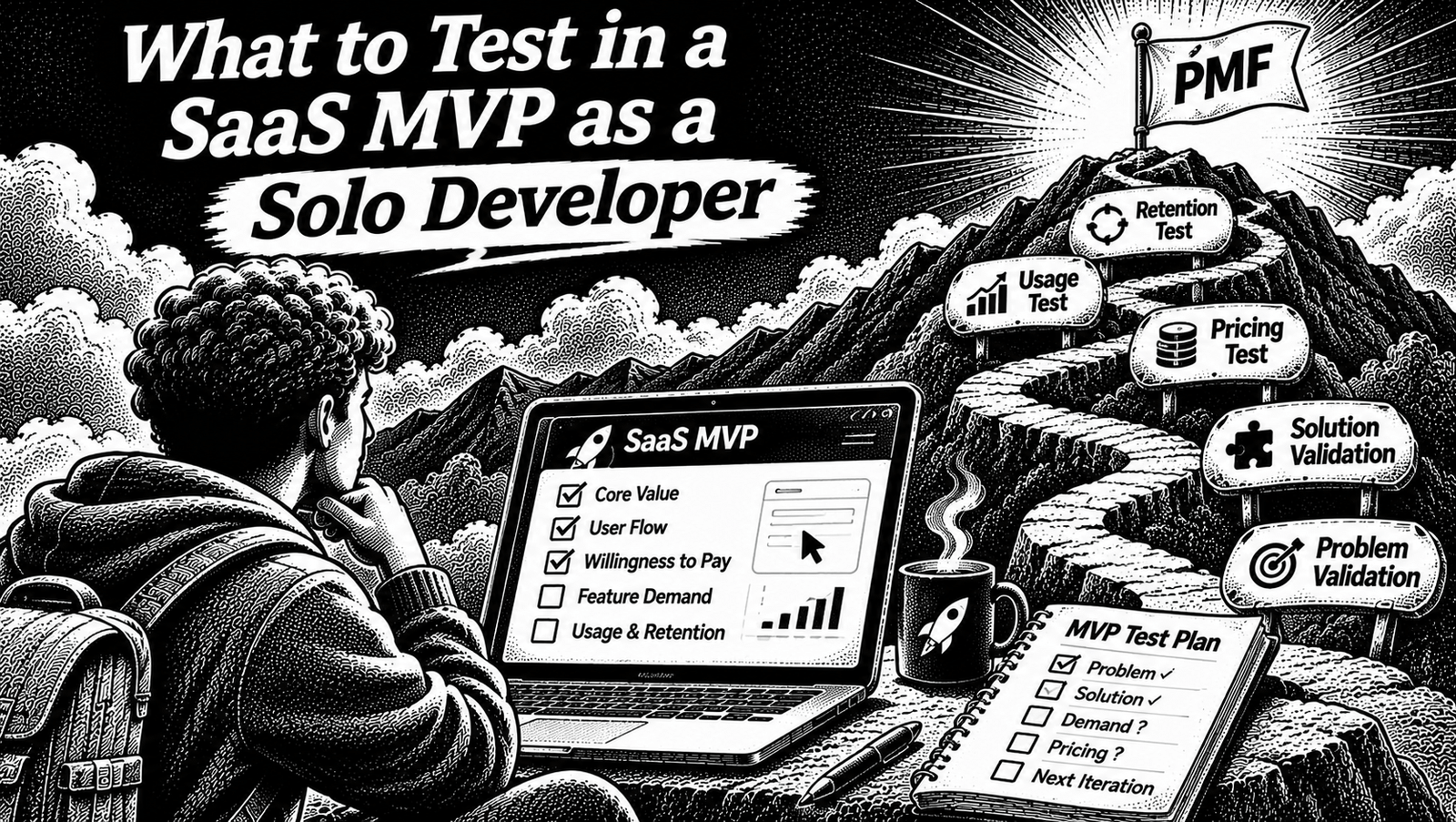
Knowing what to test in a SaaS MVP is less about chasing a high test-coverage percentage and more about protecting the customer journeys that keep the product working.
For a solo developer, the best starting point is simple: test the paths that lead from a customer arriving at your product to successfully receiving and continuing to use its value. Then add deeper tests where a failure could expose data, lose money, or block access.
This guide gives you a practical testing strategy, a risk-based checklist, a one-week implementation plan, and a small permission-testing example you can run locally.
The first rule: test the money paths, not every button
Before choosing a testing framework, map how a customer gets value from your product.
A typical early-stage SaaS journey looks like this:
- A visitor creates an account.
- The user completes onboarding or enters a workspace.
- The user performs the product’s main action.
- The result is saved and remains available.
- The user returns and continues working.
- The user upgrades or pays, if the product is monetized.
- The application grants the correct access based on the account’s permissions or subscription.
Not every SaaS follows this exact sequence. A free developer tool, a paid API product, and a team collaboration application will have different customer journeys. Your own flow is the source of truth.
The useful idea is to identify the few paths where failure would prevent a customer from receiving the product’s promised value.
For an MVP, group those paths into three areas:
| Critical path | What must work | What failure costs |
|---|---|---|
| Account and activation | Signup, login, onboarding and access to the correct account | A customer cannot start using the product |
| Core product workflow | Main action, saving, retrieving and updating data | A customer cannot receive or retain value |
| Payment and permissions | Checkout, subscription state, roles and access boundaries | Lost revenue, incorrect access or exposed data |
These are the first areas to protect. They are not a claim that every SaaS needs identical features or tests.
When deciding what to test in a SaaS MVP, start with the customer’s complete journey rather than testing isolated screens without knowing what they protect.
If you are still deciding which features belong in the first release, begin with how to scope a SaaS MVP and what to cut first. Testing should follow the product scope, not turn into a reason to build more features.
1. Test signup, login and account access
A user should be able to create an account, return to it, and access the correct workspace or personal data.
This sounds obvious, but authentication and authorization are different jobs. Authentication establishes who a user is. Authorization decides what that user is allowed to do.
A successful login does not prove that account permissions are correct.
What to test
| Test case | Expected result |
|---|---|
| Register with valid details | Account is created |
| Register with invalid or incomplete details | A useful validation error appears |
| Register with an existing email | Duplicate-account behavior is handled correctly |
| Sign in with correct credentials | A valid session is created |
| Sign in with incorrect credentials | Access is denied |
| Sign out | The session is invalidated |
| Open a protected page while signed out | The user is redirected or denied |
| Open another user’s private record | Access is denied |
Also test session behavior. Reloading a page should produce the behavior your product intends. Expired sessions should not silently retain access to protected resources.
Test permissions, not just the login screen
Suppose your SaaS allows users to create workspaces and invite teammates.
A workspace might have these roles:
- Owner: manages the workspace and its members.
- Admin: manages most workspace settings.
- Editor: creates and updates content.
- Viewer: reads content but cannot change it.
Write down which operations each role can perform. Then test both allowed and blocked actions.
For example, a viewer should not be able to update a project just by sending an API request manually. Hiding the Edit button in the interface is not sufficient.
The authorization check belongs at a trusted server-side or database boundary. OWASP recommends denying access by default and validating permissions on every request. Its Authorization Cheat Sheet is a useful reference.
Release condition: A customer can sign in, access the correct account, and perform only the actions allowed by their role.
2. Test the product’s core workflow from beginning to end
Your product probably has one action that makes it worth using.
For example:
- An invoice application creates and sends an invoice.
- A project management application creates and updates a project.
- A restaurant POS records an order.
- An analytics tool collects and displays an event.
- A document application creates and saves a document.
Test that complete action before spending time testing secondary settings.
A useful test is not simply checking whether a button works. It checks whether the intended result survives the complete workflow.
Use the create, retrieve, update and delete sequence
For a product built around records, start with these operations:
| Operation | What to verify |
|---|---|
| Create | A valid record is created with the expected values |
| Retrieve | The correct record can be opened again |
| Update | Changes are saved and reflected on reload |
| Delete | The record is removed or archived according to the product’s rules |
Then test the failure cases:
- Submit an empty required field.
- Submit an invalid value.
- Refresh while data is still loading.
- Simulate a failed request.
- Click Save twice.
- Open a record that no longer exists.
- Try to update a record without permission.
A success notification is not proof that a database write succeeded. Verify the result through the normal application flow or a controlled test environment.
Check persistence
One particularly useful test is:
- Sign in.
- Create a record.
- Wait for the save operation to finish.
- Refresh the page.
- Open the record again.
- Confirm that the saved data is still correct.
This catches problems that an immediate UI-only check can miss.
Also consider duplicate operations. A user may click Save twice because the interface appears slow. A browser may retry a request. A network connection may fail after the server has processed the operation.
Decide which operations must be safe to retry and test that behavior.
Release condition: A customer can complete the main job, leave the page, return, and find the expected result without duplicate or corrupted data.
3. Test billing and subscription access
If your MVP accepts payments, billing is a critical product journey.
Do not stop at testing whether the checkout page opens. The important question is whether the rest of the application responds correctly when the payment state changes.
Use your payment provider’s test environment and test the full lifecycle supported by your product.
| Scenario | Expected behavior |
|---|---|
| Successful payment | The correct subscription or entitlement is activated |
| Failed payment | Paid access is not granted incorrectly |
| Checkout cancelled | The user returns without an unintended purchase |
| Subscription cancelled | Access follows the cancellation policy you stated |
| Subscription expires | Expired entitlements are handled correctly |
| Duplicate payment event | The same entitlement is not applied twice |
| Delayed payment update | The product eventually reaches the correct state |
| User changes plan | The correct account and plan are updated |
Payment systems often communicate state changes asynchronously. A checkout redirect alone should not be treated as the final source of truth for subscription status.
Use the provider’s verified server-side events or API state to update entitlements. Design event handling so duplicate deliveries do not create duplicate business actions.
If your MVP is not charging users yet, test the equivalent access boundary. That might be a free usage limit, a workspace role, an invitation, or a feature available only to selected accounts.
Release condition: The product grants and removes access according to the actual account state, not merely what the browser displays.
4. Protect customer data and workspace boundaries
Data isolation deserves its own test category because a mistake here can affect more than one user.
Consider a multi-tenant application. Two customers use the same SaaS, and each has a separate workspace.
A dangerous failure would allow Customer A to retrieve Customer B’s data by changing a record ID or manipulating a request.
Test these cases:
| Actor | Action | Expected result |
|---|---|---|
| User A | Reads a record in Workspace A | Allowed if permitted |
| User A | Reads a record in Workspace B | Denied |
| Viewer | Updates a record | Denied |
| Editor | Updates a permitted record | Allowed |
| Removed member | Uses an old session to access workspace data | Denied according to the intended revocation behavior |
| Unauthenticated visitor | Calls a protected endpoint | Denied |
The same rules should hold through direct API requests, not only through the normal interface.
If you use Supabase, test the actual Row Level Security policies instead of assuming that filtering a query in frontend code is enough. Supabase’s RLS testing guide explains how to test policies with separate users and allowed or denied operations.
Release condition: Every private resource is protected by server-side or database-level rules, and your tests demonstrate that unauthorized access is blocked.
5. Decide what belongs in unit, integration and end-to-end tests
You do not need one kind of test for everything. Use the smallest reliable test that proves the behavior you care about.
Unit tests: individual rules
Unit tests are useful for isolated business logic.
Good candidates include:
- Pricing calculations.
- Trial-period calculations.
- Usage limits.
- Role and permission decisions.
- Input validation.
- Discount calculations.
- Data transformations.
For example, if a free plan permits 100 actions per month, test the boundary at 99, 100 and 101 actions.
These tests are usually quick to run. When one fails, the problem is often easier to locate than in a long browser test.
Integration tests: connected parts
Integration tests verify that multiple parts work together.
Test things such as:
- An API endpoint reads from the correct database.
- A signed-in user can create a permitted record.
- A user cannot update another workspace’s records.
- An authorization failure produces the expected response.
- A payment event updates the correct subscription.
- A failed write does not produce a false success state.
These tests are especially useful where your application connects authentication, business logic, a database and external services.
End-to-end tests: real customer journeys
End-to-end tests run through the application in a browser or a production-like environment.
Examples:
- A new user registers and reaches the dashboard.
- A customer creates a record and sees it after a reload.
- A viewer cannot edit a record.
- A test customer completes checkout and receives the correct entitlement.
Use end-to-end tests for important user-visible behavior, not every tiny component interaction.
The Next.js testing guide explains the roles of unit, integration and end-to-end testing. For browser automation, Playwright’s best practices recommend testing user-visible behavior and keeping tests isolated.
Which layer should test which risk?
| Behavior | Unit | Integration | End-to-end |
|---|---|---|---|
| Pricing calculation | Yes | Optional | Only if customer journey requires it |
| Role permission rule | Yes | Yes | Targeted test |
| Database ownership | No substitute | Yes | Targeted test |
| Signup journey | No | Yes | Yes |
| Core record creation | Some rules | Yes | Yes |
| Checkout and entitlement | Some rules | Yes | Targeted test |
| Page layout | Usually not | Rarely | Visual or browser check |
Do not create three versions of every test simply to increase the test count. Choose the layer that provides the clearest evidence.
6. A small permission-testing example you can run
Here is a simple example for a workspace-based SaaS.
An active editor can read and write inside their workspace. A viewer can read but not write. An inactive member, anonymous actor, or user from a different workspace must be denied.
Create a file named access.test.mjs:
import test from 'node:test';
import assert from 'node:assert/strict';

function canAccessWorkspace({
  actorId,
  resourceWorkspaceId,
  membership,
  action,
}) {
  if (!actorId || !resourceWorkspaceId || !membership?.active) {
    return false;
  }

  if (membership.userId !== actorId) return false;

  if (membership.workspaceId !== resourceWorkspaceId) {
    return false;
  }

  const readableRoles = ['owner', 'admin', 'editor', 'viewer'];
  const writableRoles = ['owner', 'admin', 'editor'];

  if (action === 'read') {
    return readableRoles.includes(membership.role);
  }

  if (action === 'write') {
    return writableRoles.includes(membership.role);
  }

  return false;
}

const base = {
  actorId: 'user-1',
  resourceWorkspaceId: 'workspace-1',
  membership: {
    userId: 'user-1',
    workspaceId: 'workspace-1',
    role: 'editor',
    active: true,
  },
};

test('active editor can read and write', () => {
  assert.equal(
    canAccessWorkspace({ ...base, action: 'read' }),
    true
  );

  assert.equal(
    canAccessWorkspace({ ...base, action: 'write' }),
    true
  );
});

test('viewer can read but cannot write', () => {
  const context = {
    ...base,
    membership: { ...base.membership, role: 'viewer' },
  };

  assert.equal(
    canAccessWorkspace({ ...context, action: 'read' }),
    true
  );

  assert.equal(
    canAccessWorkspace({ ...context, action: 'write' }),
    false
  );
});

test('a user from another account is denied', () => {
  assert.equal(
    canAccessWorkspace({
      ...base,
      actorId: 'user-2',
      action: 'read',
    }),
    false
  );
});

test('a membership from another workspace is denied', () => {
  const context = {
    ...base,
    membership: {
      ...base.membership,
      workspaceId: 'workspace-2',
    },
  };

  assert.equal(
    canAccessWorkspace({ ...context, action: 'read' }),
    false
  );
});

test('inactive membership is denied', () => {
  const context = {
    ...base,
    membership: { ...base.membership, active: false },
  };

  assert.equal(
    canAccessWorkspace({ ...context, action: 'read' }),
    false
  );
});

test('anonymous actor is denied', () => {
  assert.equal(
    canAccessWorkspace({
      ...base,
      actorId: null,
      action: 'read',
    }),
    false
  );
});

test('unknown actions are denied', () => {
  assert.equal(
    canAccessWorkspace({ ...base, action: 'delete' }),
    false
  );
});
Run it with:
node --test access.test.mjsThis example uses Node’s built-in test runner, documented in the Node.js test runner reference.
Verification: The example was executed separately with Node.js v22.16.0. All seven tests passed.
There is an important limitation: this helper tests a permission decision in isolation. It does not secure a production application by itself. In a real SaaS, membership information must come from a trusted server-side or database source. Enforce the rules at the server or database boundary and test those real boundaries too.
7. The one-week testing plan for a solo developer
You do not need to introduce a large testing framework in one day. Work through the highest-risk behavior first.
Day 1: Map the critical journeys
Write down the paths from account creation to first value, the core product action, and payment or access.
For each, record:
- Starting condition.
- User action.
- Expected result.
- One important failure condition.
- Evidence that proves the result.
Use your product requirements as the source of expected behavior. If the requirements are unclear, fix that before writing tests.
A useful starting point is to turn your PRD for an AI coding agent into explicit acceptance criteria, then use a technical specification to define implementation boundaries.
Day 2: Test business rules
Start with pricing, role permissions, validation, limits and other pure logic.
Write a small number of clear tests for valid inputs, invalid inputs and important boundary values.
Day 3: Test database and API boundaries
Create tests for record ownership, workspace separation and invalid requests.
Use test users and an isolated database or staging environment. Do not run destructive tests against real customer records.
Day 4: Test billing and other external services
When billing exists, use the provider’s test environment. Check payment success, failure, cancellation, event duplication and delayed updates.
Also check any other external service that can block the product’s main workflow.
Day 5: Automate the main customer journeys
Add browser tests for the most important flows.
Start with a successful signup and core workflow. Add a small number of failure paths such as an unauthorized edit or an unsuccessful checkout.
Day 6: Run checks consistently
Add the actual verification commands used by your project to your normal development and CI workflow.
For example:
npm run lint
npm run typecheck
npm run test
npm run build
These are examples, not commands that every project automatically supports. Check your package.json and configure the scripts you actually need.
Day 7: Run a staging smoke test
Use a staging environment that resembles production.
Test the important journeys again. Confirm that test accounts and payment credentials are isolated from production. Check that application errors and failed background tasks are visible to whoever maintains the product.
A week is a starting schedule, not a deadline. A complex product may require more time.
8. What you can postpone
A solo developer can lose days trying to make a test suite look impressive.
For the first release, avoid treating these as blockers unless your product’s risk justifies them:
- A 100% code-coverage target.
- End-to-end tests for every button and menu.
- Snapshot tests for every component.
- Large-scale load testing without a realistic traffic requirement.
- Complex test infrastructure that takes longer to maintain than the product.
- Tests that depend on a shared database with changing data.
- Testing the internal behavior of third-party libraries you do not control.
This does not mean these techniques are useless. Add them when usage, complexity, customer expectations or the consequences of failure make them worthwhile.
Coverage is useful for finding untested code. It does not prove that the most important customer behavior is correct.
9. What monitoring can and cannot replace
Monitoring and testing work together, but they answer different questions.
A test asks: Does this behavior work under the conditions I specified?
Monitoring asks: What is happening when the application is running?
Useful monitoring for an early SaaS includes:
- Failed API requests.
- Unexpected server errors.
- Failed payment updates.
- Background jobs that stop running.
- Unusual database errors.
- Failed signup or onboarding operations.
- Spikes in errors after a release.
Monitoring helps you discover failures that your tests missed. It cannot replace a test that verifies whether a user is allowed to access a private record.
For example, a dashboard may tell you that API errors increased after deployment. It will not prove that a viewer cannot update an editor-only record.
Build both into your release process.
10. The SaaS testing checklist before launch
Use this list to review the product. Mark an item complete only after performing the check and seeing the expected result.
Account and activation
- A new user can register.
- Existing users can sign in and sign out.
- Protected routes reject unauthenticated users.
- Session expiry behaves as expected.
- Users cannot access another account’s private data.
Core product workflow
- The main product action completes successfully.
- Created data remains available after a reload.
- Records can be retrieved and updated.
- Invalid input is handled correctly.
- Failed operations do not display false success messages.
- Repeated submissions do not create unwanted duplicate records.
Billing and permissions
- Successful payment grants the correct entitlement.
- Failed or cancelled payments do not grant unintended access.
- Subscription changes update the correct account.
- User roles are enforced on the server or database.
- Inactive members cannot retain access beyond the intended policy.
- Cross-workspace access attempts are denied.
Release verification
- Relevant unit tests pass.
- Database and API integration tests pass.
- Critical end-to-end tests pass.
- Linting and type checks pass, if configured.
- The production build succeeds.
- Critical journeys work in staging.
- Important runtime errors are visible to the maintainer.
Frequently asked questions
What should I test first in a SaaS MVP?
Start with signup and activation, the core product workflow, and payment or permissions. These paths determine whether customers can enter the product, get value, and access only what they should.
How much test coverage does an MVP need?
There is no universal coverage percentage that makes an MVP ready. Focus on whether the tests protect the important business rules, customer journeys, data boundaries and payment behavior. Use coverage to find gaps rather than treating it as the definition of quality.
Should I write unit tests or end-to-end tests first?
Start with the highest-risk rules and boundaries. Unit tests are useful for isolated business logic, integration tests are useful for database and API behavior, and end-to-end tests are useful for complete customer journeys. Most MVPs benefit from a small combination rather than choosing only one type.
Can monitoring replace automated testing?
No. Monitoring helps identify problems in a running application. Automated tests check expected behavior before a change reaches customers. Neither replaces the other.
Should I test every feature before launch?
Prioritize features that protect customer data, money, access and the product’s main promise. Lower-risk features can receive lighter checks until usage or business requirements justify deeper coverage.
Which testing tools should a Next.js SaaS use?
The current Next.js testing documentation provides setup guidance for tools such as Vitest and Playwright. Vitest is useful for unit testing, while Playwright is designed for browser-based end-to-end tests. Check the framework’s current limitations when choosing a setup, especially for asynchronous Server Components.
Final thought
You do not need the biggest test suite to release a reliable SaaS MVP. You need evidence that the product’s most important journeys work, that customer data remains isolated, and that permissions and payments behave as intended.
Start with the paths that create and protect customer value. Add the right tests at the right layer, run them consistently, and use monitoring to catch what automation misses.
That is a more useful definition of testing progress than a coverage percentage alone.
Unit and end-to-end tests are only part of a safe release. Before merging a feature written with an AI coding agent, use our AI-generated code verification checklist to inspect the complete diff, challenge the tests and review security boundaries.

[…] product-level testing, see What to Test in a SaaS MVP. The landing-page promise should match what the product can actually deliver after […]
[…] making this decision, review what to test in a SaaS MVP. A pricing experiment cannot compensate for a product that has not demonstrated a useful […]
[…] is still being built, first identify which core workflows actually need to be tested. Our guide on what to test in a SaaS MVP can help establish that […]